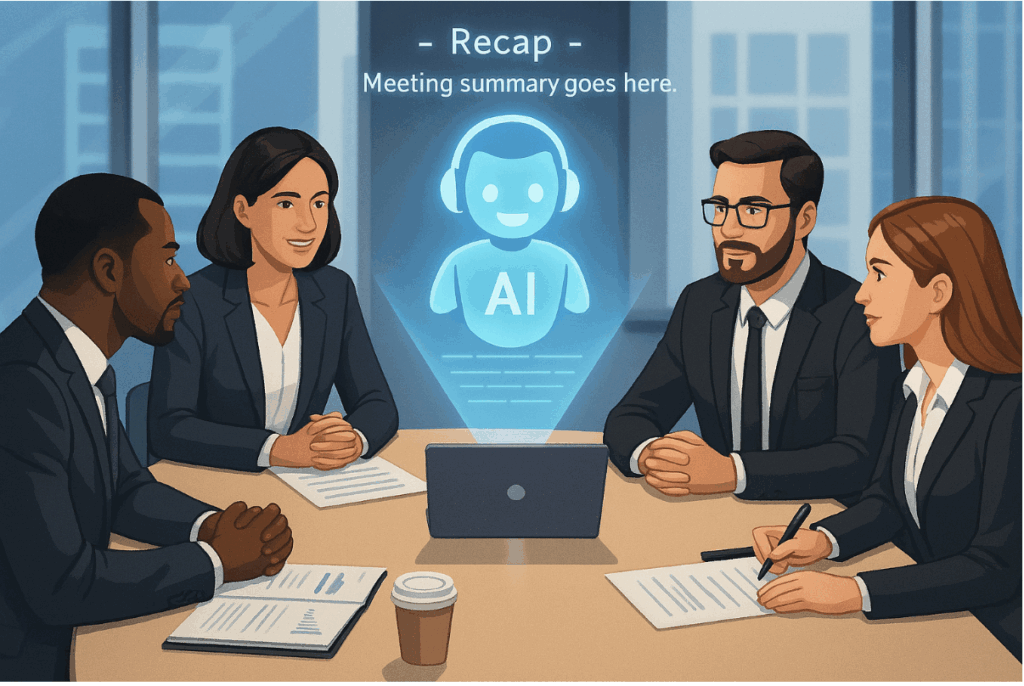
If your team keeps leaving meetings with fuzzy memories and scattered notes, you’re not alone. Manual note-taking is slow, follow-up is inconsistent, and cross-language discussions make things even harder. The result: action items get lost, decisions are unclear, and new team members struggle to catch up. That’s where a meeting flashcard workflow can change the game. With Owll: AI Note Taker & Assistant, you can turn recordings into structured summaries, meeting flashcard sets, and quick quizzes—so everyone retains what matters.
What People Really Want from Meeting Flashcard Workflow
You’re not looking for another place to dump meeting notes. You want:
– Clear action items, owners, and deadlines that stick.
– A fast way to recall decisions and key takeaways days or weeks later.
– A simple way to onboard teammates or align stakeholders who missed the meeting.
– Support for multilingual teams, without relying on one person to translate everything.
A meeting flashcard approach solves these pain points by breaking meetings into small, digestible units: what was decided, who owns what, why it matters, and how to follow up. With ai meeting flashcard tools baked into the process, you can reinforce knowledge and reduce rework.
Use Cases: Where Meeting Flashcard Workflows Shine
– Busy professionals: Weekly standups, client calls, and project reviews often produce action items that vanish. Meeting flashcard sets keep decisions and responsibilities visible, and quick quizzes help teams check understanding.
– Students and project teams: Convert group discussions and lectures into meeting flashcard collections for exam prep or sprint planning. It’s a simple way to review key definitions, deadlines, and responsibilities.
– Researchers and interviewers: When you run interviews in multiple languages, Owll’s transcription and summaries make it easy to build a meeting flashcard set from insights, hypotheses, and quotes.
– Content creators: Brainstorm sessions move fast. Meeting flashcard notes help you capture ideas, prioritize concepts, and build publishing calendars without losing the thread.
How Owll Supports Meeting Flashcard Workflow
Owll is designed to reduce the steps between “we had a meeting” and “we remember what matters.”
– AI transcription in many languages: Record your meeting, lecture, or conversation. Owll transcribes in over 100 languages, then turns speech into searchable text. Accuracy depends on audio quality and accents, but you can quickly edit any line.
– AI summaries: Instead of reading a raw transcript, get structured highlights. Owll detects key themes, decisions, risks, and action items. This is the foundation for a consistent meeting flashcard strategy.
– Flashcards and quizzes: With one click, Owll generates meeting flashcard sets and quick quizzes. Use them for follow-up training, onboarding, or personal review. Edit questions, tag topics, and reorder cards to match your process.
– Multi-format import and sync: Import recordings from common formats and devices, and keep notes synced across your laptop and phone. No more juggling files or versions.
– Optimized for meetings, lectures, and conversations: Owll handles different scenarios well, from team check-ins to classroom talks and interviews. It keeps speakers and contexts easy to follow.
Why Meeting Flashcard Workflows Beat Traditional Note Tools
Apps like Evernote and Notion excel at storing information, but they rely on manual sorting and rewriting. You paste notes, highlight text, and hope people read the doc later. With an ai meeting flashcard workflow, Owll reduces those steps:
– Less manual extraction: Instead of scanning big notes, get instant highlights and meeting flashcard sets.
– Faster recall: Flashcards and quizzes reinforce memory better than passive reading.
– Easier multilingual collaboration: Transcription and summaries help teams working across languages keep aligned.
– Better follow-up: Cards can reflect action items and deadlines, reminding owners to execute.
Evernote and Notion can integrate AI features and templates, but they still expect you to build your own flashcards and quizzes. Owll focuses on automating the pipeline from audio to summaries to meeting flashcard sets, so you spend more time acting and less time formatting.
A Simple 3-Step Guide: From Recording to Meeting Flashcard
1) Capture or import your meeting
Open Owll and record live, or import audio from your device. Name the session, add tags (project, client, sprint), and select the language. If your meeting involves multiple languages, choose the primary one; Owll supports translation across 100+ languages.
2) Generate summaries and structure
Let Owll produce AI summaries with key points, decisions, risks, and action items. Skim the summary, adjust phrasing where needed, and confirm responsibilities and dates. This is your base for a clean meeting flashcard set.
3) Build flashcards and a quick quiz
Create cards in formats like:
– Decision cards: “What did we decide about Feature X?” with details and owners.
– Action cards: “Who owns Task Y and what’s the deadline?” with context.
– Concept cards: “What does KPI Z mean and how do we measure it?”
– Risk cards: “What risk did we flag for Launch A and what’s the mitigation?”
Start a short quiz to check team understanding. Share the set with attendees and stakeholders, and set a time to review in your next standup.
Tips for Better Meeting Flashcard Content
– Keep one idea per card. It’s easier to remember and update.
– Use clear prompts. Turn long statements into simple questions and answers.
– Tag cards by project or sprint. This helps you find the right set later.
– Focus on decisions and next steps. Meeting flashcard notes should drive action as much as memory.
Multi-language Meetings without the Headache
If your team spans different countries, ai meeting flashcard tools become even more valuable. With Owll, you can:
– Transcribe in one language and generate summaries in another to help everyone follow along.
– Translate key action cards so each person sees the same information in their preferred language.
– Reduce misunderstandings by keeping a consistent, structured record after the meeting.
Who Benefits Most from a Meeting Flashcard Approach
– Teams with frequent recurring meetings that need continuity.
– New hires who must absorb decisions fast.
– Managers who want less manual oversight and more measurable follow-up.
– Students and researchers who deal with long lectures or interviews and need to recall specific insights.
Conclusion
Owll offers a 3-day free trial with access to all features, including AI summaries, meeting flashcard generation, and quizzes. The platform supports transcription and translation across more than 100 languages, multi-format imports, and cross-device sync. If you’re tired of forgetting what you agreed to, start your trial today and let AI handle the heavy lifting while you focus on moving work forward.
Leave a Reply