Author: hongmaodan

  • AI Voice Translator 2026: How to Turns Speech into Notes

    If your meetings, lectures, or interviews span multiple languages, you’ve probably felt the pain: recording everything, struggling to catch key points, and then spending hours turning messy audio into usable notes. Add cross‑border teammates or international research, and it gets even harder. An ai voice translator that doesn’t just translate, but also organizes, summarizes, and helps you study—now that actually saves time. That’s where Owll: AI Note Taker & Assistant shines.

    Owll is built for real life: it transcribes speech, translates it into the language you need, distills it into clear summaries, and turns concepts into flashcards and quizzes. Think of it as an ai voice translator plus learning assistant, so your audio doesn’t just get translated—it becomes knowledge you can reuse.

    Who Needs an AI Voice Translator That Also Learns with You

    – Students: Turn a Spanish biology lecture into English notes, then auto‑generate flashcards to review before exams.

    – Busy professionals: Capture a German client call, translate to English, and send a concise summary to your team in minutes.

    – Researchers and journalists: Record a bilingual interview, use ai audio translator features to produce a clean transcript in both languages, and pull quotes with timestamps.

    – Content creators: Repurpose a podcast clip, translate it with an audio language translator, and extract show notes and social snippets fast.

    – Faith communities: Record a sermon and translate it for non‑native attendees, share a clear summary afterward for easy follow‑up.

    What Makes Owll Different from a Basic AI Voice Translator

    Most ai voice translator apps stop at converting speech from one language to another. Owll goes further by turning audio into structured, study‑ready material—all synced across your devices.

    – Accurate transcription across languages: Capture meetings, lectures, or conversations and transcribe them in the original language.

    – Translation to over 100 languages: Use ai voice translator settings to convert transcripts into your preferred language with attention to context.

    – AI summaries you can act on: Turn hour‑long recordings into concise bullet lists, decisions, action items, and key quotes.

    – Flashcards and quizzes: Automatically generate practice questions from your notes to reinforce learning and prep faster.

    – Multi‑format import and export: Bring in recordings from your phone, Zoom, and other sources; export to docs, slides, or study apps.

    – Cross‑device sync: Start on your laptop, review on your phone, and share from your tablet without losing context.

    – Optimized for meetings, lectures, and dialogues: Speaker-aware notes, timestamps, and topic detection help you navigate long sessions.

    In short, Owll blends an ai audio translator with a note‑taking brain. Instead of bouncing between a recorder, a translator, and a separate notes app, you get one workspace that handles the chain from audio to understanding.

    Owll vs. Traditional Note Tools

    Evernote and Notion are excellent for storing notes, but they require manual effort to turn audio into readable content. You would typically record, upload, wait for a separate transcription, paste text into your workspace, and then organize it. An ai voice translator alone won’t solve this, because you still need structure and learning aids.

    Owll automates the heavy lifting:

    – From audio to translated transcript in a few clicks.

    – From transcript to executive summary without manual editing.

    – From key ideas to flashcards and quizzes to reinforce memory.

    – From raw files to shareable notes that colleagues can skim in minutes.

    If you’ve been stitching together multiple tools, using Owll as your ai voice translator and organizer in one will likely cut busywork and reduce context switching.

    Three Easy Steps to Turn Audio into Structured Notes

    1) Record or import your audio

    – Open Owll on web or mobile and record live, or import a file from Zoom, your phone, or cloud storage. You can also add existing notes or slides for extra context.

    2) Transcribe and translate

    – Choose the source language and target language. Let Owll process the audio: you’ll get a transcript plus a translation powered by ai voice translator capabilities. For multilingual sessions, keep both versions side by side.

    3) Summarize and study

    – Generate AI summaries to capture decisions, tasks, and highlights. With one click, create flashcards and quizzes so you can review the material quickly. Export to your preferred format or share with your team.

    Real‑world Tips for Better Results

    – Use a decent microphone or sit close to the speaker. Clean audio helps any audio language translator perform better, especially with accents.

    – Add proper nouns and jargon to a custom glossary where applicable. This helps with names, products, and technical terms.

    – Skim the transcript for small fixes. Even strong systems can mishear domain‑specific words; a quick pass boosts clarity for summaries and flashcards.

    – Keep segments under an hour when possible. Shorter chunks speed up processing and make it easier to navigate your notes.

    Where an AI Audio Translator Meets Learning Science

    Owll’s AI summaries reduce cognitive load by extracting the main ideas first, then letting you drill down into details. Flashcards and quizzes apply spaced recall principles: you’re more likely to remember content you test yourself on. Pairing translation with structured review is powerful—especially for multilingual learners and teams who need to get on the same page fast.

    Why Language Variety Matters in AI Voice Translator

    International teams and global classrooms don’t have the luxury of one language. An audio language translator that supports 100+ languages reduces delays, but translation alone isn’t enough. People need notes they can act on today. Owll’s combination of translation, summarization, and study aids closes that gap, whether you’re reviewing a Portuguese lecture, sharing a French design review, or producing English notes from a Mandarin interview.

    Conclusion

    Ready to ditch manual note‑taking and language juggling? Start your free Owll trial today and let AI handle the heavy lifting—from an ai voice translator that understands your audio, to summaries and study aids that help you act on it.
  • Instant Voice Translator: How to Ace Bilingual Meetings Now

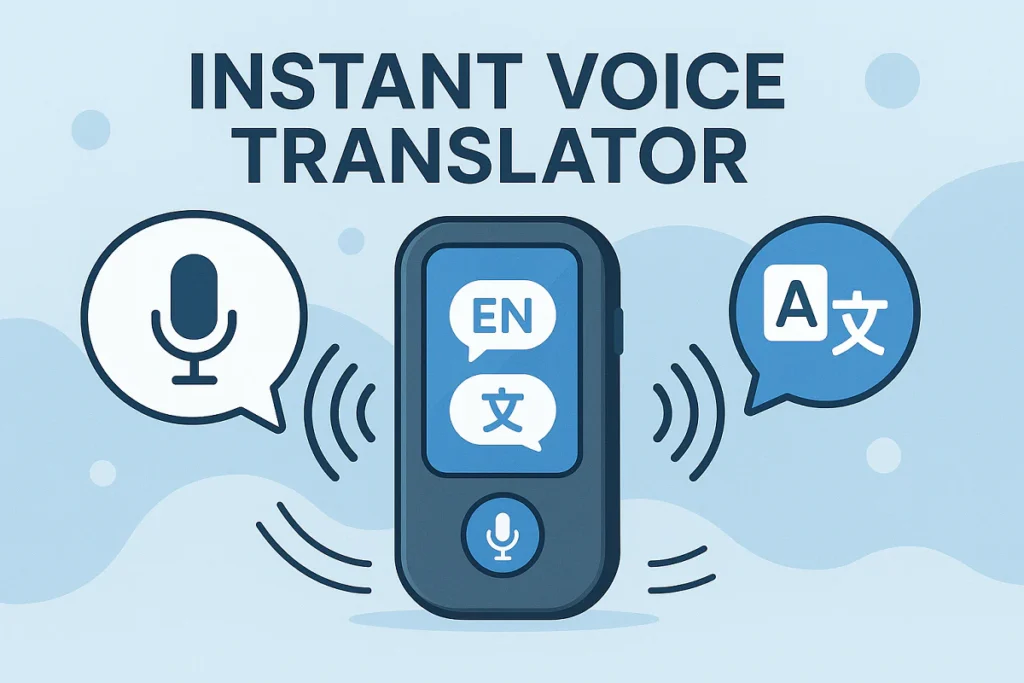
    If you’ve ever sat through a fast-paced meeting, a dense lecture, or a multilingual interview, you know the struggle: you’re torn between listening and writing, you miss key points, and translating on the fly is stressful. An instant voice translator can help, but most stop at plain text. Owll: AI Note Taker & Assistant goes further—transcribing speech, translating it across 100+ languages, summarizing the key takeaways, and even generating flashcards and quizzes to reinforce learning. The result: less busywork, more understanding.

    What people really want from an instant voice translator

    – Real-time clarity when people switch languages or accents

    – Accurate voice to text translator output that’s searchable and shareable

    – Automatic structure: summaries, action items, timestamps

    – Study aids like flashcards for exams or certification prep

    – Easy export and sync across devices so nothing gets lost

    Owll focuses on these user priorities. It doesn’t just translate; it makes your audio useful.

    Where Owll Shines: Real-Life Scenarios

    – Students: Turn a 60-minute chemistry lecture into a structured summary and a set of auto-generated flashcards. Revisit tough concepts through quick quizzes before exams.

    – Professionals: For international stand-ups and client calls, use the instant voice translator to see live translation and post-call notes in minutes. Share highlights with your team without replaying the entire recording.

    – Researchers and journalists: Record interviews in one language, read a clean translation in another, then skim AI summaries to locate the quotes you need.

    – Content creators: Capture brainstorming sessions or podcast planning meetings, convert ideas to bullets, to-dos, and clips to repurpose.

    – Faith communities: Traveling or multilingual congregations can follow a sermon with live translation and get a concise recap afterward for reflection or group study.

    How Owll Works Under the Hood

    1) AI transcription and translation: Owll’s instant voice translator captures speech and turns it into readable text in near real time. Whether you need an instant speech translator for bilingual meetings or a voice to text translator for quiet study time, Owll supports over 100 languages and dialects, including translation between them.

    2) AI summaries: After recording, Owll generates succinct, scannable summaries that surface main themes, decisions, and next steps. If you’re a student drowning in material, these AI summaries read like a personalized review sheet.

    3) Flashcards and quizzes: Owll analyzes the content and proposes flashcards with definitions, formulas, or Q&A. Quizzes help you test retention—perfect for certification prep, exam crunch time, or sermon study groups.

    4) Multi-format and sync: Import audio files, upload slides or PDFs for context, and sync across devices so notes are always at hand on your phone, tablet, or laptop.

    Why Not Just Use Traditional Note Apps?

    Tools like Evernote and Notion are fantastic for organizing documents, but they weren’t built as instant voice translator solutions. You still have to type notes, translate separately, and summarize manually. Owll automates the heavy lifting:

    – Fewer manual steps: Speak, record, and get transcription, translation, and summary in one place.

    – Learning built-in: Flashcards and quizzes appear automatically instead of being hand-crafted.

    – Speed to insight: Instead of searching a long transcript, your key points are surfaced right away.

    In short, traditional apps store notes. Owll creates them for you.

    Quick guide: turn any recording into structured notes in 3 steps

    Step 1: Record or import

    – Open Owll on your device and start recording your meeting, lecture, interview, or sermon.

    – Prefer uploading? Import audio from your phone or cloud storage. Owll supports popular formats.

    Step 2: Translate and transcribe

    – Choose your source and target languages if you need live translation. Owll acts as an instant voice translator, handling accents and code-switching with care.

    – Watch the voice to text translator produce readable, time-stamped text you can follow as you listen.

    Step 3: Review, learn, and share

    – Skim the AI summaries for key points and action items.

    – Save or tweak auto-generated flashcards and quizzes.

    – Export to your favorite tools or share a link with your team or study group.

    What About Accuracy, Speed, and Control?

    Owll aims for a balanced approach: fast processing with quality you can review and edit. You remain in control—accept, refine, or remove AI-generated content as needed. Because every use case is different (noisy rooms, technical jargon), Owll lets you adjust settings and add context files like slides or glossaries to improve results.

    Tips to Get the Most Out of Owll

    – Add context: Upload slides or an outline so AI summaries align with your agenda.

    – Create custom decks: Turn recurring topics into dedicated flashcard sets for spaced review.

    – Mark highlights during recording: Tap to insert flags at key moments—great for interviews or Q&A.

    – Combine modes: Use the instant voice translator during the session and the voice to text translator afterward for a clean transcript you can annotate.

    Who Benefits Most

    – Students who need fast turnarounds from lecture to study aids

    – Busy professionals who can’t afford to miss details on global calls

    – Researchers and journalists managing multilingual interviews

    – Content creators who brainstorm verbally

    – Faith leaders and attendees who want accessible, bilingual sermon summaries

    Conclusion

    Ready to ditch manual note-taking? Start your free Owll trial today. Use it as your instant voice translator in class, at work, or on the road—and let AI handle transcription, translation, summaries, flashcards, and quizzes while you stay focused on the conversation.

  • Translate an Audio for Meetings: Quick Guide with AI

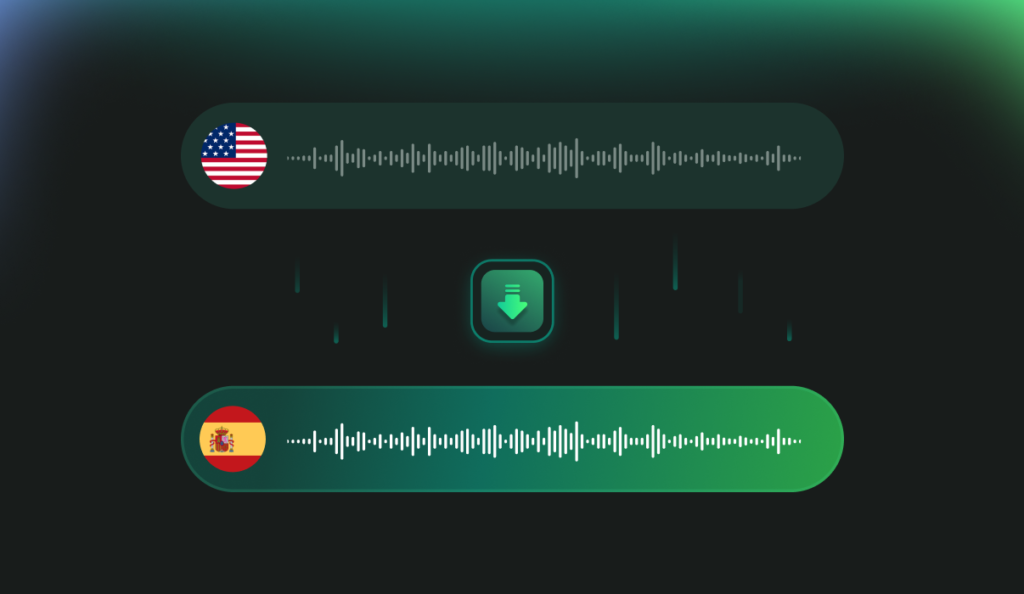
    If you’ve ever sat through a long meeting, lecture, interview, or sermon and then struggled to pull out the key points, you’re not alone. Manually writing notes takes time, and cross‑language collaboration can slow projects to a crawl. Many people try to translate an audio quickly, only to end up with messy transcripts and fragmented summaries. The good news: with AI, you can translate audio to text, get a structured summary, and even generate flashcards and quizzes—without bouncing between multiple apps.

    This guide explains when and how to translate an audio effectively, what to expect from AI tools, and a simple workflow using Owll: AI Note Taker & Assistant to turn raw recordings into action-ready knowledge.

    When you Should Translate an Audio

    – Students: Turn a 60-minute lecture into a concise review. If your class or guest speaker uses a different language, translate audio to English (or any of 100+ languages) and get a digest you can study in minutes.

    – Professionals: Capture meeting notes across global teams. Translate speech to text so action items and decisions are clear to everyone, regardless of accent or language.

    – Researchers and journalists: Transcribe interviews, then translate voice to text to compare quotes across languages and themes. Build highlights fast.

    – Content creators and podcasters: Repurpose episodes into blog posts, captions, or scripts by translating an audio and summarizing the discussion into sections and key takeaways.

    – Faith and community members: For a weekly sermon or talk, translate an audio to English or your preferred language, then skim an AI summary to reflect later or share with those who couldn’t attend.

    What Makes Owll Different for Translation and Learning

    Owll combines multi-language transcription with study aids so your recordings become useful knowledge, not just files.

    – Fast multilingual transcription and translation: Upload or record and translate audio to text in over 100 languages. If you need to translate audio to English for a global team, you can do it in the same workflow.

    – AI summaries you can act on: Owll produces clean bullet-point summaries, topic clusters, and timestamps so you can jump to what matters. Think of it as your shortcut after you translate an audio and don’t want to read every line.

    – Built-in learning tools: Generate flashcards and quizzes from your transcript and summary for quick recall. Perfect for exam prep, training, or onboarding.

    – Smart capture for different scenarios: Owll is optimized for meetings, lectures, and conversations. That means diarization (who said what), auto titles, and context-aware summaries that understand common structures in those settings.

    – Flexible import and sync: Bring in files from multiple formats and devices. Start recording on your phone, review on your laptop. Your translated notes and quizzes stay synced.

    Why Not Just Use a General Note App?

    Traditional note apps like Notion or Evernote are excellent for storage, but they don’t streamline the entire journey from “translate an audio” to “learn and act.” You’ll often need separate tools to translate audio to text, another plug-in for summaries, and yet another for flashcards. Stitching all that together wastes time and increases error risk.

    Owll focuses on end-to-end automation:

    – Record or upload once.

    – Translate speech to text in your chosen language.

    – Auto-generate summaries, flashcards, and quizzes in one place.

    – Keep everything searchable and synced across devices.

    A simple 3-step guide to translate an audio into structured notes

    Step 1: Capture or import

    – Open Owll and choose your input. You can record a meeting or lecture directly or import an existing file.

    – Select your source language if known. If not, Owll can detect it and translate audio to English or another target.

    Step 2: Transcribe and translate

    – Click Transcribe. Owll will translate voice to text and produce a time-stamped transcript.

    – Choose the target language. Need bilingual outputs? Save an original transcript and a translated version side by side so you can compare.

    Step 3: Summarize and study

    – Generate an AI summary with key bullet points, decisions, next steps, or learning objectives.

    – Tap Create Flashcards to convert key definitions or facts into bite-size prompts.

    – If you’re preparing for a test or training, auto-build quizzes to check comprehension. This step turns “I managed to translate an audio” into “I actually remembered what mattered.”

    Practical Tips to Improve Results

    – Use a decent mic or quiet room. Better audio means more accurate translate audio to text results.

    – Choose the right mode. If it’s a long lecture, pick Lecture mode for context-aware summaries. For multi-speaker meetings, Conversation mode helps attribute speakers.

    – Skim the summary first. Let the AI highlight hotspots, then jump into the transcript where needed.

    – Refine and save. Add your own highlights or notes. You’ll retain more when you personalize.

    How Owll Compares to Common Workflows

    Manual transcription: Slow and error-prone, especially for dense technical content. Even if you translate an audio accurately by hand, you still need to summarize and study it later. Owll automates the tedious steps.

    Generic speech-to-text: These tools can translate voice to text, but they often stop there. Owll adds AI summaries, flashcards, and quizzes, so you don’t need extra apps.

    Note apps with AI add-ons: Helpful for drafting, but not purpose-built for meetings and lectures. Owll’s scenario-specific optimization often produces cleaner structure and better study materials after you translate an audio.

    Privacy, accuracy, and language nuance

    No AI system is perfect. Accents, background noise, and specialized jargon affect how well you can translate audio to text. For sensitive conversations, always get consent to record. If you’re working with critical content, review important passages manually. Owll is designed to help you control what you store and share, but you should follow your organization’s privacy and compliance policies.

    Real-world Scenarios you can Start with Today

    – Student exam prep: Translate an audio lecture to text, summarize it into five to seven key points, and auto-generate a deck of 20 flashcards. Review on your phone during commutes.

    – Weekly status meetings: Translate speech to text across multilingual teams, tag action items, and share a concise recap so everyone is aligned.

    – Interview to article: Translate an audio interview, extract quotes with timestamps, and turn the summary into an outline for your article or script.

    – Sermon reflections: Translate audio to English and skim the summary later in the week; generate a few flashcards to remember key themes and references.

    Conclusion

    If you’re tired of juggling apps just to translate an audio and make sense of it later, give Owll a spin. New users get a 3-day free trial with all features unlocked, including translation across 100+ languages, AI summaries, flashcards, and quizzes. Start your trial today, translate audio to text in minutes, and let AI handle the heavy lifting while you focus on learning and action.

  • Meeting Flashcard Strategy: How to Turn Messy Meetings into Knowledge

    If your team keeps leaving meetings with fuzzy memories and scattered notes, you’re not alone. Manual note-taking is slow, follow-up is inconsistent, and cross-language discussions make things even harder. The result: action items get lost, decisions are unclear, and new team members struggle to catch up. That’s where a meeting flashcard workflow can change the game. With Owll: AI Note Taker & Assistant, you can turn recordings into structured summaries, meeting flashcard sets, and quick quizzes—so everyone retains what matters.

    What People Really Want from Meeting Flashcard Workflow

    You’re not looking for another place to dump meeting notes. You want:

    – Clear action items, owners, and deadlines that stick.

    – A fast way to recall decisions and key takeaways days or weeks later.

    – A simple way to onboard teammates or align stakeholders who missed the meeting.

    – Support for multilingual teams, without relying on one person to translate everything.

    A meeting flashcard approach solves these pain points by breaking meetings into small, digestible units: what was decided, who owns what, why it matters, and how to follow up. With ai meeting flashcard tools baked into the process, you can reinforce knowledge and reduce rework.

    Use Cases: Where Meeting Flashcard Workflows Shine

    – Busy professionals: Weekly standups, client calls, and project reviews often produce action items that vanish. Meeting flashcard sets keep decisions and responsibilities visible, and quick quizzes help teams check understanding.

    – Students and project teams: Convert group discussions and lectures into meeting flashcard collections for exam prep or sprint planning. It’s a simple way to review key definitions, deadlines, and responsibilities.

    – Researchers and interviewers: When you run interviews in multiple languages, Owll’s transcription and summaries make it easy to build a meeting flashcard set from insights, hypotheses, and quotes.

    – Content creators: Brainstorm sessions move fast. Meeting flashcard notes help you capture ideas, prioritize concepts, and build publishing calendars without losing the thread.

    How Owll Supports Meeting Flashcard Workflow

    Owll is designed to reduce the steps between “we had a meeting” and “we remember what matters.”

    – AI transcription in many languages: Record your meeting, lecture, or conversation. Owll transcribes in over 100 languages, then turns speech into searchable text. Accuracy depends on audio quality and accents, but you can quickly edit any line.

    – AI summaries: Instead of reading a raw transcript, get structured highlights. Owll detects key themes, decisions, risks, and action items. This is the foundation for a consistent meeting flashcard strategy.

    – Flashcards and quizzes: With one click, Owll generates meeting flashcard sets and quick quizzes. Use them for follow-up training, onboarding, or personal review. Edit questions, tag topics, and reorder cards to match your process.

    – Multi-format import and sync: Import recordings from common formats and devices, and keep notes synced across your laptop and phone. No more juggling files or versions.

    – Optimized for meetings, lectures, and conversations: Owll handles different scenarios well, from team check-ins to classroom talks and interviews. It keeps speakers and contexts easy to follow.

    Why Meeting Flashcard Workflows Beat Traditional Note Tools

    Apps like Evernote and Notion excel at storing information, but they rely on manual sorting and rewriting. You paste notes, highlight text, and hope people read the doc later. With an ai meeting flashcard workflow, Owll reduces those steps:

    – Less manual extraction: Instead of scanning big notes, get instant highlights and meeting flashcard sets.

    – Faster recall: Flashcards and quizzes reinforce memory better than passive reading.

    – Easier multilingual collaboration: Transcription and summaries help teams working across languages keep aligned.

    – Better follow-up: Cards can reflect action items and deadlines, reminding owners to execute.

    Evernote and Notion can integrate AI features and templates, but they still expect you to build your own flashcards and quizzes. Owll focuses on automating the pipeline from audio to summaries to meeting flashcard sets, so you spend more time acting and less time formatting.

    A Simple 3-Step Guide: From Recording to Meeting Flashcard

    1) Capture or import your meeting

    Open Owll and record live, or import audio from your device. Name the session, add tags (project, client, sprint), and select the language. If your meeting involves multiple languages, choose the primary one; Owll supports translation across 100+ languages.

    2) Generate summaries and structure

    Let Owll produce AI summaries with key points, decisions, risks, and action items. Skim the summary, adjust phrasing where needed, and confirm responsibilities and dates. This is your base for a clean meeting flashcard set.

    3) Build flashcards and a quick quiz

    Create cards in formats like:

    – Decision cards: “What did we decide about Feature X?” with details and owners.

    – Action cards: “Who owns Task Y and what’s the deadline?” with context.

    – Concept cards: “What does KPI Z mean and how do we measure it?”

    – Risk cards: “What risk did we flag for Launch A and what’s the mitigation?”

    Start a short quiz to check team understanding. Share the set with attendees and stakeholders, and set a time to review in your next standup.

    Tips for Better Meeting Flashcard Content

    – Keep one idea per card. It’s easier to remember and update.

    – Use clear prompts. Turn long statements into simple questions and answers.

    – Tag cards by project or sprint. This helps you find the right set later.

    – Focus on decisions and next steps. Meeting flashcard notes should drive action as much as memory.

    Multi-language Meetings without the Headache

    If your team spans different countries, ai meeting flashcard tools become even more valuable. With Owll, you can:

    – Transcribe in one language and generate summaries in another to help everyone follow along.

    – Translate key action cards so each person sees the same information in their preferred language.

    – Reduce misunderstandings by keeping a consistent, structured record after the meeting.

    Who Benefits Most from a Meeting Flashcard Approach

    – Teams with frequent recurring meetings that need continuity.

    – New hires who must absorb decisions fast.

    – Managers who want less manual oversight and more measurable follow-up.

    – Students and researchers who deal with long lectures or interviews and need to recall specific insights.

    Conclusion

    Owll offers a 3-day free trial with access to all features, including AI summaries, meeting flashcard generation, and quizzes. The platform supports transcription and translation across more than 100 languages, multi-format imports, and cross-device sync. If you’re tired of forgetting what you agreed to, start your trial today and let AI handle the heavy lifting while you focus on moving work forward.

  • Flashcard AI: How to Turn Recordings into Cards Fast

    If you’re tired of pausing and rewinding recordings just to build study notes or meeting summaries, you’re not alone. Manual note-taking eats hours. Multilingual content adds friction. And turning raw notes into effective study materials is a whole second job. That’s exactly where flashcard AI can help—especially when it’s built into your everyday note workflow.

    Meet Owll: AI Note Taker & Assistant. It records, transcribes, summarizes, and converts your content into organized notes, flashcards, and quizzes—so you can focus on learning, decision-making, and doing. New users get a 3‑day free trial, and translation covers 100+ languages.

    Who Benefits From Flashcard AI

    Students

    Lecture recordings pile up fast. With Owll, a 60‑minute lecture becomes a 5‑minute digest, plus AI flashcard sets you can review before class or the exam. No more guessing what to memorize: flashcard AI highlights definitions, formulas, timelines, and “why it matters” takeaways automatically.

    Professionals

    Back-to-back meetings? Owll auto-captures the conversation, pulls action items and decisions, and lets you turn outcomes into quick quizzes for team training. Reviewing project terms or SLAs? Generate an AI flashcard set for onboarding or refreshers in minutes.

    Researchers and Interviewers

    Whether you’re working through long interviews or field recordings in multiple languages, Owll’s transcription and AI summaries pull out themes, quotes, and sources. From there, an ai flashcard maker builds recall-ready cards for literature reviews or codebooks.

    Content Creators

    Podcasts, webinars, workshops—Owll turns them into structured notes and AI flashcard decks so you can repurpose content, test your audience’s understanding, or build a course outline faster.

    Why Flashcard AI Matters For Learning

    The science is straightforward: retrieval practice and spaced review help you remember more with less time. But building cards is tedious. A good flashcard AI reduces that friction by drafting clean questions and answers from your notes and recordings. Owll’s ai flashcard maker does exactly that, paired with AI summaries that keep the big picture clear.

    What Owll Does Under The Hood

    AI transcription and summaries

    Record directly in Owll or import audio/video files. Owll transcribes in 100+ languages and builds concise summaries with key points, definitions, dates, and decisions. You can adjust the level of detail—from quick bullets to structured outlines.

    AI-generated flashcards and quizzes

    Tap “Generate Cards” and Owll’s ai flashcard maker drafts question–answer pairs from your transcript and notes. Want multiple-choice quizzes for self-testing or team training? Generate those, too. Edit anything you like, tag by topic, and organize into decks.

    Import formats and cross-device sync

    Upload recordings, PDFs, or text notes; sync across phone, tablet, and desktop. You can capture ideas on the go, refine cards later, and review anywhere.

    Meeting and lecture optimization

    Owll is tuned for real-world speech: discussions, Q&A, and multi-speaker sessions. It helps extract action items, definitions, examples, and context so flashcard AI doesn’t miss what matters.

    How It Compares To Traditional Tools

    Evernote and Notion are excellent for manual organization, but they aren’t built to automatically transform speech into structured notes and testable knowledge. You can clip and tag content, but you’ll still spend time doing the heavy lifting—transcribing, summarizing, and writing cards yourself or relying on external plugins.

    Owll streamlines that entire chain:

    – Capture speech once; get transcript, AI summary, flashcards, and quizzes in the same workspace.

    – No juggling separate apps or copying content around.

    – Fewer clicks from “raw recording” to “study-ready materials.”

    It’s not a full learning management system, and it isn’t trying to replace your favorite study app. Instead, it sits at the front of your workflow and turns messy audio into organized, testable knowledge fast—where flashcard AI is the native engine, not an afterthought.

    A 3-Step Guide: Recording To Structured Notes And Cards

    Step 1: Capture or import

    Open Owll, record your meeting or lecture, or import an existing audio/video file. Choose your language or let Owll auto-detect from 100+ options.

    Step 2: Summarize and organize

    Generate an AI summary. Skim the outline, highlight what matters, and add quick tags like “Chapter 3,” “Exam 2,” or “Q2 Planning.” You can also split long sessions into sections.

    Step 3: Create flashcards and quizzes

    Tap Generate Cards. Owll’s ai flashcard maker builds Q&A pairs and optional multiple-choice quizzes based on your summary and transcript. Edit wording, add mnemonics or images, then save to a deck and schedule your review.

    Pro Tips For Better AI Flashcards

    – One idea per card. Keep prompts focused—definitions, steps, causes/effects.

    – Add context. If two terms are easy to confuse, include a short contrast note.

    – Protect against illusions of mastery. Mix simple recall with application questions (“When would you choose X over Y?”).

    – Review little and often. Use short daily sessions rather than cramming.

    – Iterate. If you miss a card twice, rephrase the prompt to match how you think.

    Real-World Results (Self-Reported)

    In an internal pilot with 312 students and 78 professionals (self-reported, non‑controlled), users said they:

    – Cut note prep time by about 38% on average after two weeks.

    – Reviewed more consistently thanks to instant decks from recordings.

    – Felt more confident before exams or presentations because quizzes forced active recall.

    When Flashcard AI Shines (And When It Doesn’t)

    Flashcard AI excels at first drafts and coverage. It’s fast at turning large volumes of content into something you can review immediately. You’ll still want to tweak cards for your exact syllabus, company terminology, or preferred mnemonics. Think of Owll as your accelerator: it eliminates the bottleneck so you can spend your energy refining understanding.

    Why Choose Owll For Flashcard AI

    – End-to-end flow: record, transcribe, summarize, and generate study materials in one place.

    – Multilingual by design: over 100 languages supported for transcription and translation.

    – Flexible and fast: import files, edit summaries, customize AI flashcards, and sync across devices.

    – Built for real scenarios: meetings, lectures, interviews, workshops—Owll adapts to how you learn and work.

    If you’ve tried building cards by hand, you know how much time disappears. Owll’s ai flashcard maker gives you that time back without sacrificing quality.

    Conclusion

    Ditch manual card-writing and slow note cleanup. Start your free 3‑day Owll trial today, turn your next recording into clean notes and AI flashcards, and review smarter—across 100+ languages and every device you use.

  • Audio Summarization: How to Turn Recordings into Notes Fast

    If your day is a blur of meetings, lectures, interviews, and voice memos, the real work begins after the recording ends. Manually replaying an hour of audio to squeeze out a few bullet points feels endless. Cross-language conversations add another layer of friction. That’s where Audio Summarization can change your workflow from reactive to proactive.

    Owll: AI Note Taker & Assistant helps you jump from raw audio to structured insights fast. With multilingual transcription, AI summaries, instant flashcards, and quizzes, it works like an always-on study and productivity partner. And yes, new users get a 3-day free trial to try every feature, including translation across 100+ languages.

    Who Benefits From Audio Summarization

    Students

    – Turn lecture recordings into digestible summaries for quick revision.

    – Generate flashcards and quizzes from complex topics to reinforce memory.

    – Share structured notes across devices before group study sessions.

    Professionals

    – Capture meeting recordings and get action items, decisions, and owners in a clean outline.

    – Sync notes to your laptop or phone so follow-ups never get lost.

    – For global teams, transcribe and summarize across languages to cut miscommunication.

    Researchers and Journalists

    – Transcribe interviews in minutes, tag speakers, and extract key quotes.

    – Use Audio Summarization to compare themes across multiple recordings.

    – Export summaries to your research doc or reference manager.

    Content Creators and Educators

    – Repurpose podcast episodes or webinars into show notes, social snippets, and newsletter bullets.

    – Create quizzes for workshops or courses using the same source audio.

    – Keep everything in sync across devices for quick edits on the go.

    What Makes Owll Different

    Multilingual Transcription with AI Summaries

    – Upload or record audio in over 100 languages and get clean transcripts.

    – Audio Summarization condenses long recordings into brief overviews, highlight bullets, and action items.

    – Choose summary styles: concise bullets for meetings, conceptual breakdowns for lectures, or narrative recaps for interviews.

    Built-in learning aids: flashcards and quizzes

    – With one click, generate flashcards from your transcript or summary.

    – Auto-build quizzes to test recall before exams or team trainings.

    – Perfect for turning passive listening into active learning.

    Flexible import and cross-device sync

    – Import audio from phone recordings, web meetings, or cloud drives.

    – Sync notes across devices so you can start on your laptop and continue on your phone.

    – Export to formats your team already uses.

    Optimized for real-world scenarios

    – Meeting mode emphasizes decisions, owners, and next steps.

    – Lecture mode surfaces definitions, examples, and key concepts.

    – Interview mode identifies quotes, topics, and follow-ups.

    Audio Summarization is at the core, but Owll also functions as a practical audio summarizer and an AI Audio Notes Summarizer built for speed and clarity.

    Owll vs Traditional Note Apps

    Evernote and Notion are great for organizing ideas, but they aren’t built for end-to-end Audio Summarization. They store audio and support manual notes; you still do most of the heavy lifting. Owll automates transcription, produces AI summaries, and gives you flashcards and quizzes without extra plug-ins or copy-paste gymnastics.

    Compared to typing notes while listening, Owll shortens the cycle: record once, get a structured summary, study aids, and shareable notes in minutes. It won’t replace your judgment, but it handles repetitive work so you can think instead of transcribe.

    A 3-Step Guide: Turn Audio Into Structured Notes

    Step 1: Capture or import your recording

    – Record directly in Owll during a lecture, meeting, or interview.

    – Or upload existing audio files from your phone, recorder, or cloud storage.

    Step 2: Choose language and summary style

    – Select the language for transcription (100+ supported).

    – Pick a summary style: meeting recap, lecture bullets, or interview highlights.

    – Run Audio Summarization to get a draft within minutes.

    Step 3: Review, refine, and export

    – Scan the transcript and summary; add context or fix names as needed.

    – Generate flashcards and quizzes with one tap for retention.

    – Export to your preferred format or sync across devices for easy sharing.

    Pro Tips for Better Results

    – Use clear device placement and minimize background noise to boost transcription quality.

    – Flag speaker names at the start of meetings to improve accuracy.

    – For complex topics, upload relevant slides or outlines—context helps better AI summaries.

    – Always review critical decisions or quotes before sharing externally.

    How Owll Handles Multilingual Workflows

    – Transcribe in the original language to preserve details.

    – Generate AI summaries in the same or a different language for wider sharing.

    – Create bilingual flashcards or quizzes for language learning or international teams.

    When to Use an Audio Summarizer vs Manual Notes

    Use a manual approach when you need to reflect deeply as you write, such as during brainstorming. Use an audio summarizer when speed and coverage matter—long lectures, rapid-fire meetings, or multilingual interviews. Many users combine both: record the session, run Audio Summarization, then layer in their insights on top.

    Why Audio Summarization Matters Now

    Remote work, global classrooms, and content-heavy workflows are the new normal. Audio Summarization gives you time back without skipping the context. The combo of transcription, AI summaries, and built-in study aids means your recordings become living documents you can learn from and act on.

    Quick Comparison: Owll at a Glance

    – Audio Summarization: Turn hours into minutes with meeting, lecture, and interview modes.

    – AI summaries, flashcards, quizzes: Move from passive listening to active retention.

    – Multilingual support: Transcribe and summarize in 100+ languages.

    – Import and sync: Bring in files from anywhere and access across devices.

    – Human-in-the-loop: Edit and annotate to ensure accuracy for your use case.

    Who Should Try It Today

    – Students prepping for midterms who need fast lecture digests.

    – Managers running back-to-back meetings who want clear action items.

    – Researchers with hours of interviews and limited time to code transcripts.

    – Creators repurposing audio content into notes, posts, and training materials.

    Getting Started Is Easy

    – Sign up for Owll and start your 3-day free trial.

    – Record or upload your next meeting or lecture.

    – Run Audio Summarization, generate flashcards, and share notes with your team or study group.

    Conclusion

    Ready to ditch manual note-taking and get more out of your recordings? Try Owll: AI Note Taker & Assistant today. Experience Audio Summarization, a robust audio summarizer, and a full AI Audio Notes Summarizer in one place—plus translation across more than 100 languages. Let AI handle the heavy lifting so you can focus on decisions, learning, and outcomes.

  • AI Meeting Minutes: How to Automate Notes, Summaries, and Action

    If you’re tired of juggling agendas, scribbling frantic notes, and spending an hour turning them into something readable, you’re not alone. Meetings eat time. What’s worse, decisions get lost, action items slip, and cross‑language calls make things even messier. That’s where ai meeting minutes shine: let AI do the heavy lifting so you can focus on the conversation, not the keyboard.

    What Are AI Meeting Minutes & Why They Matter

    AI meeting minutes use speech-to-text and language models to capture conversations, summarize key points, and organize outcomes. With ai meeting minutes, you get a clean record of who said what, decisions made, and next steps—without manual transcription. It’s faster, more consistent, and far easier to share. For global teams, it also helps bridge language gaps.

    Meet Owll: AI Note Taker & Assistant built for real work

    Owll is a lightweight tool that records, transcribes, and structures your conversations. It creates AI summaries, suggests flashcards and quizzes for faster learning, supports 100+ languages, imports multiple formats, and syncs across devices. In short, it turns ai meeting minutes into something you’ll actually use.

    Real-world use cases you’ll recognize

    – Busy team meetings: Capture every agenda item, decisions, and owners. With meeting minutes AI support, Owll transforms an hour-long standup into a concise recap you can agree on in minutes.

    – Students and lectures: Record lectures, get bite-size AI summaries, then auto-generate flashcards for revision. For study groups, the same ai minute taking workflow keeps everyone aligned.

    – Researchers and interviews: Upload interviews or field notes and let Owll extract themes and quotes. Minutes of meeting AI tools keep your findings organized and searchable.

    – Content creators and podcasts: Turn long recordings into highlight summaries and topic lists for editing and show notes.

    – Global calls and multilingual teams: Translate transcripts into over 100 languages so everyone gets the same ai minutes of meeting, regardless of native language.

    Deep Dive: How Owll Turns Talk into Action

    – Accurate transcription in many languages: Record or upload audio/video and let Owll transcribe in your preferred language. For distributed teams, you can translate the transcript so ai meeting minutes are accessible to all.

    – AI summaries you can skim in minutes: Owll pulls out agenda items, decisions, blockers, and next steps. No need to replay the call to find who owns what.

    – Flashcards and quizzes for fast retention: After key meetings or training sessions, Owll can generate flashcards and quick quizzes. It’s a surprisingly effective way to reinforce new processes or product knowledge—especially for onboarding.

    – Flexible import and cross-device sync: Bring in files from different sources and keep everything synced across your phone and laptop. Your ai for meeting minutes is ready wherever you work.

    – Structured exports: Copy summaries, export transcripts, or share a clean recap with stakeholders. Whether you prefer email bullet points or a document, your ai minutes of meeting are easy to distribute.

    A Quick 3‑Step Workflow to Convert Recordings into Structured Notes

    1) Record or upload your meeting

    – Open Owll, hit Record, or upload an existing file (audio or video). If it’s a virtual meeting, capture the audio output from your device. Get consent before recording.

    2) Let AI transcribe and summarize

    – Owll transcribes your file and generates a structured summary with key points, decisions, and action items. Use meeting minutes AI to add context like attendee names or agenda titles for clearer results.

    3) Review, translate, and share

    – Skim the AI summary, make quick edits, and translate if needed. Export your minutes of meeting AI output and share with your team via email or your preferred doc.

    Best Practices to Get Reliable AI Minutes

    – Clarify the agenda at the start: Stating objectives helps ai meeting minutes categorize topics correctly.

    – Label speakers where possible: Names or roles improve attribution in summaries.

    – Use a decent microphone: Clear audio boosts transcription quality.

    – Add context post-call: Attach slides or docs; Owll can align points to materials you discussed.

    – Keep it human-reviewed: AI speeds up drafting, but a quick human pass ensures accuracy.

    Who Benefits this Most

    – Students juggling classes and study groups

    – Project managers and team leads who own follow-ups

    – Researchers conducting interviews or literature discussions

    – Content creators summarizing long recordings

    – Multinational teams running cross‑language calls

    Quick Checklist Template for Better AI Meeting Minutes

    – Attendees and date

    – Agenda overview

    – Key discussions and takeaways

    – Decisions made (with rationale if needed)

    – Action items with owners and due dates

    – Open questions and next meeting date

    How Owll Reduces Friction Compared to Manual Workflows

    – No context switching during calls; focus on listening.

    – Structured summaries turn into action lists naturally.

    – Flashcards and quizzes reinforce important points after training or onboarding.

    – Translation helps ensure nothing is lost across regions or languages.

    Conclusion

    Ready to ditch manual note‑taking and see what ai meeting minutes can do for your team? Start your free Owll trial and explore all features for 3 days—recording, transcription, AI summaries, flashcards, quizzes, and translations in 100+ languages. Sign up now, and let AI handle the heavy lifting while you focus on better conversations and faster decisions.

  • Meeting Summaries: How to Automate Notes Faster with AI

    If you’re spending hours cleaning up meeting notes after every call, or rewinding lecture recordings to catch a missed point, you’re not alone. Manual note-taking is slow, messy, and easy to lose in a sea of docs. And when your team or sources speak different languages, keeping up is even harder. That’s where automated meeting summaries come in—so you can stay present in the conversation while AI handles the paperwork.

    Owll: AI Note Taker & Assistant is built for exactly this. It records and transcribes your conversations, creates clean meeting summaries, and even turns dense content into flashcards and quizzes so the important bits actually stick. With support for 100+ languages and a 3‑day free trial, it’s a practical way to summarize meeting notes without adding yet another complex tool to your stack.

    Who Benefits from Automated Meeting Summaries

    – Professionals on endless calls: Client updates, sprint reviews, and interviews all blur together. Owll generates an ai meeting summary for each session, highlighting decisions, next steps, and owners. No more guessing what was agreed.

    – Students tired of replaying lectures: Turn a 60‑minute lecture into a 5‑minute digest and a set of flashcards. Meeting summaries aren’t just for meetings; they also make study sessions faster and more focused.

    – Researchers and journalists: Import interviews across formats, get transcripts in your source’s language, and receive concise summaries alongside pull quotes. You stay focused on analysis instead of transcription.

    – Content creators and podcasters: Capture discussions, brainstorms, and guest segments. Meeting summaries help you identify hooks and chapters quickly, while quizzes can double as engagement prompts for your audience.

    – Global teams: Cross-language calls become less stressful. Owll transcribes and summarizes in over 100 languages, so it’s much easier to summarize meeting notes and share context across borders.

    How Owll Turns Long Conversations into Clear Takeaways

    – Fast transcription with multilingual support: Owll converts audio into text in over 100 languages. You can record live or import existing files, then receive readable transcripts that make post-call review simple.

    – Smart AI summaries: The app produces meeting summaries tailored to real-world needs—key points, decisions, and action items. Prefer a tighter recap or more detail? You can adjust the length and focus.

    – Learning aids built in: From every transcript or recap, Owll can auto-generate flashcards and quizzes. That means you don’t just archive notes; you reinforce them. AI summaries become study companions.

    – Import and sync across devices: Bring in audio, video, or notes from different sources and keep everything synced across your devices. Start on your laptop, review on your phone, and share anywhere.

    – Works beyond meetings: Owll is optimized for meetings, lectures, interviews, and general conversations. Whether you’re planning a project, studying, or prepping content, the same workflow keeps you moving.

    Why It Beats Traditional Note Tools

    Evernote, Notion, and similar apps are excellent for organizing information. They’re great filing cabinets. The catch? They rely on you to type everything in and then distill it. That’s where fatigue sets in.

    Owll focuses on automation. Instead of typing a long doc after every call, you get AI summaries in seconds. Instead of revisiting a lecture the night before an exam, you review flashcards and quizzes generated from your own content. And instead of switching between recorder, transcription service, and notes app, you manage the whole flow in one place. For busy people, that’s the difference between keeping up and falling behind.

    A simple 3‑step way to summarize meeting notes with Owll

    1) Capture or import.

    – Record your meeting or lecture in Owll, or import existing audio/video files. If your content is in another language, select it up front so the transcript and summary are accurate.

    2) Generate your recap.

    – With one tap, create meeting summaries tailored to your preferences—concise recap, action list, or detailed outline. If you need to share a quick ai meeting summary, export or copy it directly.

    3) Turn knowledge into memory.

    – Create flashcards and quizzes from the transcript or summary. Tag, organize, and sync across devices so you can study or review key decisions anywhere. That’s how you go from “I think we said…” to confident recall.

    Tips to Get Higher-Quality Meeting Summaries

    – Set expectations at the start of the meeting: State the agenda and goals out loud. Clear structure leads to cleaner meeting summaries.

    – Label responsibilities in conversation: When someone volunteers, say the person’s name and the action. “Alex to send the deck by Thursday” is easier for meeting summary AI to capture.

    – Choose the right language model settings: If your meeting includes specialized terms, note the topic (e.g., “marketing plan” or “neuroscience lecture”) so the summary reflects the right context.

    – Edit lightly for tone: Automated recaps are fast, but you can add context or nuance before sharing externally. A minute of polishing goes a long way.

    Conclusion

    If you’re done juggling recorders, docs, and to-do lists, it’s time to let a meeting summary AI take first pass. Start your free 3‑day Owll trial to see how fast you can summarize meeting notes, generate flashcards and quizzes from your own content, and keep your team or study plan on track. With support for over 100 languages and a workflow that fits meetings, lectures, interviews, and more, meeting summaries are finally the easy part of your day.

  • Now Available for Apple Watch – Your AI Note Taker on the Go

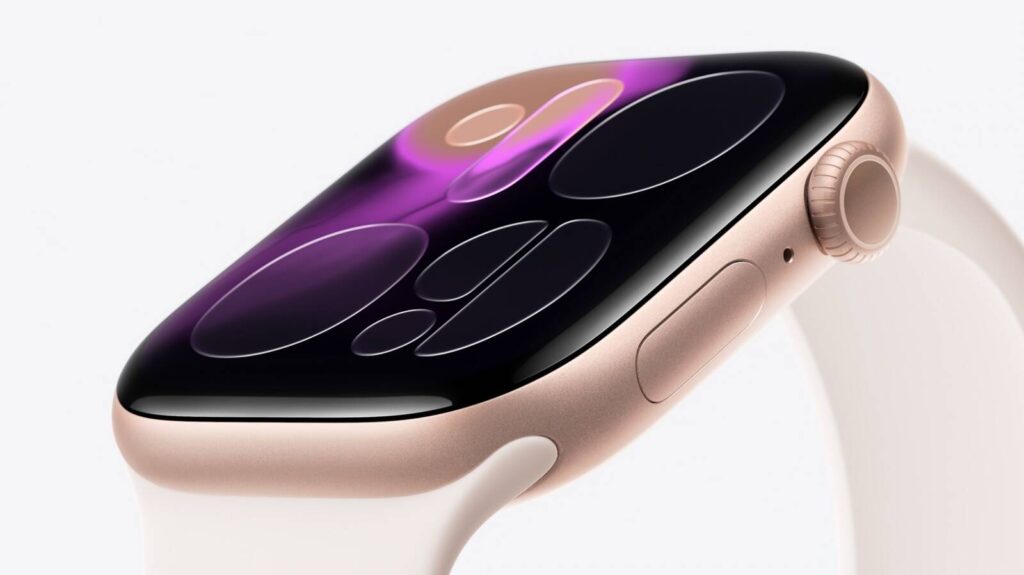
    In today’s fast-paced world, juggling multiple tasks and staying organized can feel like an uphill battle. Whether you’re trying to capture important meeting points, attend lectures, or jot down sudden bursts of inspiration, traditional note-taking methods often fall short. Enter Owll: AI Note Taker & Assistant, now supporting the Apple Watch. With this new version, you can take your notes and summaries anywhere, anytime—directly from your wrist.

    Owll for Apple Watch: Ultimate Portable Note-Taking Solution

    Owll for Apple Watch brings the power of AI note-taking to the most convenient and accessible device—your wrist. This new integration empowers users to record audio, generate intelligent summaries, and create flashcards, all without needing to pull out your phone or laptop. Whether you’re in a meeting, at a conference, or on the go, Owll ensures that you never miss a crucial moment.

    • Portability Meets Power: With Owll on your Apple Watch, you’re always ready to capture ideas, notes, or meetings in real-time. Simply raise your wrist, tap the screen, and you’re recording—no need to fumble with your phone.
    • Seamless Multitasking: Owll for Apple Watch allows you to record while still having full access to other functions like checking notifications, tracking your steps, or even snapping photos with your phone. It’s the ultimate multitasking tool.
    • Discreet Recording: The Apple Watch version offers a “silent” recording experience. When recording, only a small orange dot appears in the status bar—making it a subtle and non-intrusive way to capture notes without drawing attention.

    Key Features of Owll for Apple Watch

    1. Portable and Hands-Free Operation: The real charm of Owll on Apple Watch is its portability. Whether you’re rushing to a meeting or simply on a commute, you don’t have to reach for your phone to start recording. This ease of access allows you to quickly capture important thoughts, without the hassle of finding or setting up another device.
    2. Discreet Recording Experience: Unlike smartphones, which often draw attention, the Apple Watch allows you to record discreetly. This is especially valuable in sensitive situations like interviews, business meetings, or even religious sermons, where you might need to capture details quietly without making others uncomfortable.
    3. Offline Capability: With Owll on your Apple Watch, you can record even when your iPhone isn’t nearby or when there’s no internet connection. Perfect for outdoor activities or during travel, you can rely on Owll’s offline mode to keep your recordings safe and accessible.
    4. Cross-Device Syncing: The Owll app doesn’t just stay on your watch. All recordings sync seamlessly across your Apple Watch, iPhone, and other devices, ensuring that you always have access to your notes no matter where you are.

    How Owll for Apple Watch Can Enhance Your Daily Life

    • Business Meetings and Interviews: Whether you’re a busy professional or a salesperson on the go, Owll’s discreet recording capabilities make it easy to capture important moments without anyone noticing. No more scrambling to take notes during fast-paced meetings or interviews.
    • Classroom and Lecture Notes: Students will love the ease of using Owll for Apple Watch during lectures. With a simple wrist tap, you can record entire lectures without having to worry about missing key points. Focus on listening, not scribbling notes.
    • On-the-Go Inspiration: The beauty of Owll on the Apple Watch is that it’s always there when inspiration strikes. Whether you’re walking, running, or driving, you can dictate your thoughts directly into Owll without needing to stop or pull over.
    • Religious Sermons: For those who need to capture important moments during sermons or religious gatherings, Owll for Apple Watch offers a subtle way to record without causing disruption. It’s perfect for clergy or attendees looking to review and reflect on key messages later.

    Conclusion

    In a world that never slows down, Owll for Apple Watch is the ideal solution for anyone who needs to stay organized and efficient. From students and researchers to professionals and content creators, this tool is designed to keep up with your fast-paced lifestyle. Ready to simplify your note-taking and never miss a crucial moment again? Ready to experience the future of note-taking? Start your free 3-day trial of Owll today and see how AI can help you take notes, generate summaries, and create flashcards—all directly from your Apple Watch. Don’t let another important meeting or idea slip by!

    With Owll for Apple Watch, you can capture, organize, and review your notes faster and more efficiently than ever before. No more messy notebooks or missed moments—just pure productivity at your fingertips.

  • Real Time Transcription: Reasons to Switch on 2026

    xr:d:DAFaAvIXYHE:24,j:665800879357188995,t:23062015

    If you’re tired of juggling messy notebooks, pausing recordings to catch key points, or spending late nights rewriting meeting minutes, you’re not alone. Manual note‑taking is slow, error‑prone, and easy to fall behind on—especially when conversations switch languages or move fast. Real time transcription helps, but raw text is just the first step. What you really need is clean, searchable notes, AI summaries you can trust, and study aids that cut review time in half. That’s exactly where Owll: AI Note Taker & Assistant comes in.

    Why Real Time Transcription Matters Now

    Hybrid work, global teams, and information overload make it hard to keep up. Real time transcription gives you an immediate text layer over any conversation—so you don’t miss tasks, decisions, or definitions. It also creates a foundation for automation: instant highlights for a manager, flashcards for a student, or topic tags for a researcher. When real time transcription combines with AI summaries and multi-language support, the result is less busywork and more focus.

    Who benefits from Owll

    • Students: Turn lectures into digestible takeaways. Imagine a 60‑minute biology class condensed into a concise outline plus generated flashcards and quizzes for last‑minute prep. If you’re learning in a second language, Owll’s real time audio transcription and translation help you keep pace.
    • Professionals: Capture every decision in your 1:1s, team standups, and client calls. Real time transcription surfaces action items as they’re said. Share concise summaries with teammates who missed the meeting.
    • Researchers: Record interviews and focus groups, then real time transcribe and auto-summarize themes. Save hours coding transcripts and keep your literature notes synced across devices.
    • Content creators: Podcasters and YouTubers can generate accurate show notes on the fly, extract quotable moments, and prep social snippets without scrubbing through audio.

    What makes Owll different

    Owll focuses on end‑to‑end productivity, not just turning speech into text.

    • Real-time, multi-language transcription: Capture spoken content as it happens and translate across 100+ languages, helping you bridge accents and international teams. Real time transcription is designed to be clear, searchable, and easy to skim.
    • AI summaries you can act on: Skip the wall of text. Owll creates concise bullet points, key takeaways, and action items tailored to meetings, lectures, or informal conversations. You choose the format that works for your workflow.
    • Built-in study tools: Unique to Owll, you can generate flashcards and quizzes directly from your transcript. That means your review materials are ready in minutes, not hours.
    • Multi-format import and cross-device sync: Bring in audio from your phone recorder, web meetings, or uploaded files. Your notes sync across devices, so you can capture on mobile and review on desktop without friction.
    • Modes optimized for real life: Meeting, Lecture, and Conversation modes adjust the structure of your transcript and summary, helping you find decisions, definitions, or next steps faster.

    How Owll Compares to Traditional Note Tool

    Evernote and Notion are great for storing notes, but they rely heavily on manual typing or copy-paste from other tools. They don’t specialize in real time audio transcription, and their AI outputs often require extra setup or plugins. Generic voice recorders capture audio but leave you with lengthy, unstructured transcripts.
    By contrast, Owll couples real time transcription with built‑in AI summaries, flashcards, quizzes, and multi-language translation. Instead of juggling three or four apps, you start with one workflow that records, transcribes, organizes, and prepares you to act—whether that means sending minutes to a team or studying for an exam.

    A Quick Start: 3 Steps to Turn Recordings into Structured Notes

    1. Capture or import audio
      Open Owll on web or mobile to start recording, or import an existing file. If your call is in another language, select your source language before you begin.
    2. Real time transcription on
      Choose the mode (Meeting, Lecture, Conversation). As you speak, Owll produces real time transcription so you can follow along, mark highlights, and check names or numbers.
    3. Summarize and study
      Tap Summarize to generate AI summaries. Need to review fast? Create flashcards and quizzes automatically from the transcript. Everything syncs to your account so you can study on the go or share a clean summary with colleagues.

    Tips for Better Transcripts

    • Use a clear mic and speak near your device to improve readability.
    • Label speakers in meetings when possible, so summaries reflect who owns which action.
    • For specialized jargon, add a quick glossary note at the start so the transcript stays consistent.

    Real-world payoffs (illustrative examples)

    Note: The following anecdotes are illustrative examples to show typical outcomes.

    • Student quote: “I used Owll in physics and shaved 40 minutes off my weekly review. Real time transcription let me catch formulas, and the AI summaries kept me on track for quizzes.”
    • Product manager quote: “Our team used to spend 20 minutes after each standup just writing action items. With Owll, the summary and tasks are ready before the call ends.”
    • Researcher quote: “Interview analysis used to take a full afternoon. Now I import recordings, get real time audio transcription when needed, and use summaries to identify themes for coding.”
      In an internal pilot scenario (illustrative), users reported cutting note-related time by around 30–40% across 50+ hours of meetings and lectures. Actual results vary with audio quality, accents, and subject complexity, but the directional savings are consistent: less manual typing, more focused thinking.

    When to choose Owll over other options

    • You want more than raw text. Real time transcription is valuable, but summaries, action items, flashcards, and quizzes turn that text into outcomes.
    • You switch devices often. Owll’s cross‑device sync means your notes follow you to class, commute, and office.
    • You collaborate or study in multiple languages. Real time transcribe features plus translation keep everyone on the same page, even across time zones.

    Results you can feel in a week

    • Meetings: Leave the call with share-ready action items and a tidy recap.
    • Classes: Finish lectures with a study pack—AI summaries, flashcards, and quizzes—so you’re always exam-ready.
    • Interviews: Transcribe in real time, then scan summaries to pull quotes and themes for reports.

    Conclusion

    Ready to ditch manual note‑taking and let AI handle the heavy lifting? Try Owll: AI Note Taker & Assistant free for 3 days and explore full access to real time transcription, AI summaries, flashcards, and quizzes. With support for 100+ languages and seamless sync across devices, you’ll spend less time typing and more time understanding, deciding, and creating.
    Start your free trial now and see how real time audio transcription can make your next meeting or lecture easier, clearer, and faster.