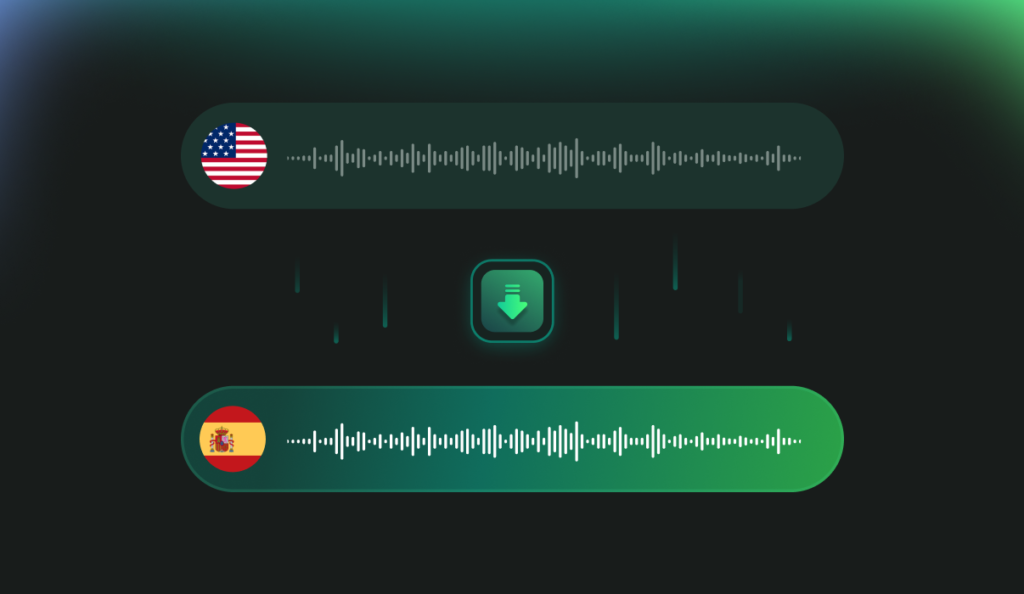
If you’ve ever sat through a long meeting, lecture, interview, or sermon and then struggled to pull out the key points, you’re not alone. Manually writing notes takes time, and cross‑language collaboration can slow projects to a crawl. Many people try to translate an audio quickly, only to end up with messy transcripts and fragmented summaries. The good news: with AI, you can translate audio to text, get a structured summary, and even generate flashcards and quizzes—without bouncing between multiple apps.
This guide explains when and how to translate an audio effectively, what to expect from AI tools, and a simple workflow using Owll: AI Note Taker & Assistant to turn raw recordings into action-ready knowledge.
When you Should Translate an Audio
– Students: Turn a 60-minute lecture into a concise review. If your class or guest speaker uses a different language, translate audio to English (or any of 100+ languages) and get a digest you can study in minutes.
– Professionals: Capture meeting notes across global teams. Translate speech to text so action items and decisions are clear to everyone, regardless of accent or language.
– Researchers and journalists: Transcribe interviews, then translate voice to text to compare quotes across languages and themes. Build highlights fast.
– Content creators and podcasters: Repurpose episodes into blog posts, captions, or scripts by translating an audio and summarizing the discussion into sections and key takeaways.
– Faith and community members: For a weekly sermon or talk, translate an audio to English or your preferred language, then skim an AI summary to reflect later or share with those who couldn’t attend.
What Makes Owll Different for Translation and Learning
Owll combines multi-language transcription with study aids so your recordings become useful knowledge, not just files.
– Fast multilingual transcription and translation: Upload or record and translate audio to text in over 100 languages. If you need to translate audio to English for a global team, you can do it in the same workflow.
– AI summaries you can act on: Owll produces clean bullet-point summaries, topic clusters, and timestamps so you can jump to what matters. Think of it as your shortcut after you translate an audio and don’t want to read every line.
– Built-in learning tools: Generate flashcards and quizzes from your transcript and summary for quick recall. Perfect for exam prep, training, or onboarding.
– Smart capture for different scenarios: Owll is optimized for meetings, lectures, and conversations. That means diarization (who said what), auto titles, and context-aware summaries that understand common structures in those settings.
– Flexible import and sync: Bring in files from multiple formats and devices. Start recording on your phone, review on your laptop. Your translated notes and quizzes stay synced.
Why Not Just Use a General Note App?
Traditional note apps like Notion or Evernote are excellent for storage, but they don’t streamline the entire journey from “translate an audio” to “learn and act.” You’ll often need separate tools to translate audio to text, another plug-in for summaries, and yet another for flashcards. Stitching all that together wastes time and increases error risk.
Owll focuses on end-to-end automation:
– Record or upload once.
– Translate speech to text in your chosen language.
– Auto-generate summaries, flashcards, and quizzes in one place.
– Keep everything searchable and synced across devices.
A simple 3-step guide to translate an audio into structured notes
Step 1: Capture or import
– Open Owll and choose your input. You can record a meeting or lecture directly or import an existing file.
– Select your source language if known. If not, Owll can detect it and translate audio to English or another target.
Step 2: Transcribe and translate
– Click Transcribe. Owll will translate voice to text and produce a time-stamped transcript.
– Choose the target language. Need bilingual outputs? Save an original transcript and a translated version side by side so you can compare.
Step 3: Summarize and study
– Generate an AI summary with key bullet points, decisions, next steps, or learning objectives.
– Tap Create Flashcards to convert key definitions or facts into bite-size prompts.
– If you’re preparing for a test or training, auto-build quizzes to check comprehension. This step turns “I managed to translate an audio” into “I actually remembered what mattered.”
Practical Tips to Improve Results
– Use a decent mic or quiet room. Better audio means more accurate translate audio to text results.
– Choose the right mode. If it’s a long lecture, pick Lecture mode for context-aware summaries. For multi-speaker meetings, Conversation mode helps attribute speakers.
– Skim the summary first. Let the AI highlight hotspots, then jump into the transcript where needed.
– Refine and save. Add your own highlights or notes. You’ll retain more when you personalize.
How Owll Compares to Common Workflows
Manual transcription: Slow and error-prone, especially for dense technical content. Even if you translate an audio accurately by hand, you still need to summarize and study it later. Owll automates the tedious steps.
Generic speech-to-text: These tools can translate voice to text, but they often stop there. Owll adds AI summaries, flashcards, and quizzes, so you don’t need extra apps.
Note apps with AI add-ons: Helpful for drafting, but not purpose-built for meetings and lectures. Owll’s scenario-specific optimization often produces cleaner structure and better study materials after you translate an audio.
Privacy, accuracy, and language nuance
No AI system is perfect. Accents, background noise, and specialized jargon affect how well you can translate audio to text. For sensitive conversations, always get consent to record. If you’re working with critical content, review important passages manually. Owll is designed to help you control what you store and share, but you should follow your organization’s privacy and compliance policies.
Real-world Scenarios you can Start with Today
– Student exam prep: Translate an audio lecture to text, summarize it into five to seven key points, and auto-generate a deck of 20 flashcards. Review on your phone during commutes.
– Weekly status meetings: Translate speech to text across multilingual teams, tag action items, and share a concise recap so everyone is aligned.
– Interview to article: Translate an audio interview, extract quotes with timestamps, and turn the summary into an outline for your article or script.
– Sermon reflections: Translate audio to English and skim the summary later in the week; generate a few flashcards to remember key themes and references.
Conclusion
If you’re tired of juggling apps just to translate an audio and make sense of it later, give Owll a spin. New users get a 3-day free trial with all features unlocked, including translation across 100+ languages, AI summaries, flashcards, and quizzes. Start your trial today, translate audio to text in minutes, and let AI handle the heavy lifting while you focus on learning and action.
Leave a Reply