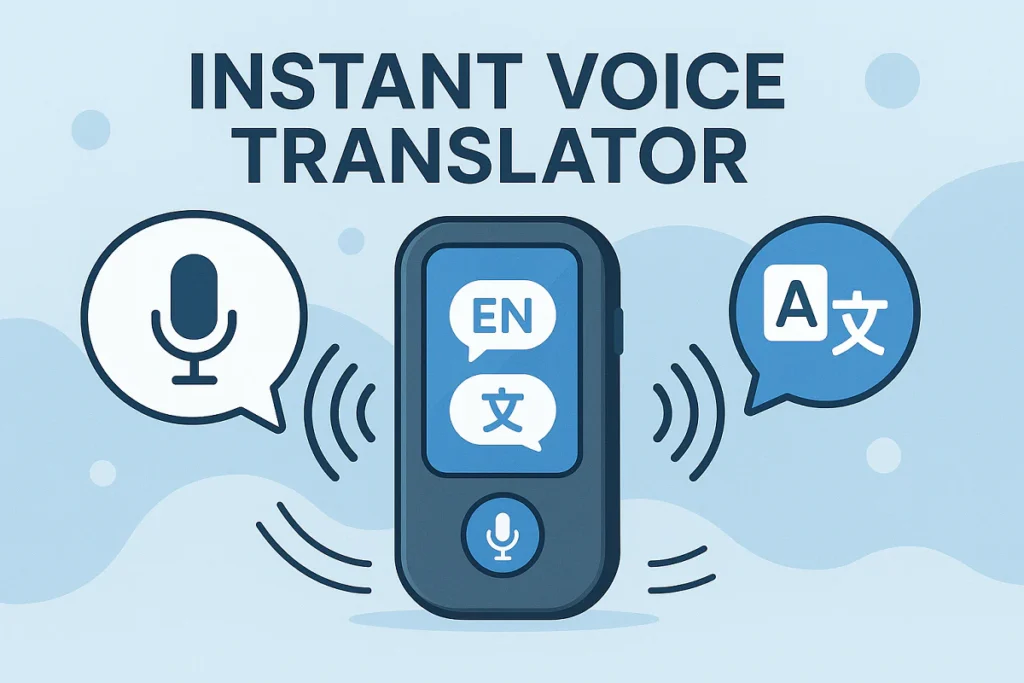
If you’ve ever sat through a fast-paced meeting, a dense lecture, or a multilingual interview, you know the struggle: you’re torn between listening and writing, you miss key points, and translating on the fly is stressful. An instant voice translator can help, but most stop at plain text. Owll: AI Note Taker & Assistant goes further—transcribing speech, translating it across 100+ languages, summarizing the key takeaways, and even generating flashcards and quizzes to reinforce learning. The result: less busywork, more understanding.
What people really want from an instant voice translator
– Real-time clarity when people switch languages or accents
– Accurate voice to text translator output that’s searchable and shareable
– Automatic structure: summaries, action items, timestamps
– Study aids like flashcards for exams or certification prep
– Easy export and sync across devices so nothing gets lost
Owll focuses on these user priorities. It doesn’t just translate; it makes your audio useful.
Where Owll Shines: Real-Life Scenarios
– Students: Turn a 60-minute chemistry lecture into a structured summary and a set of auto-generated flashcards. Revisit tough concepts through quick quizzes before exams.
– Professionals: For international stand-ups and client calls, use the instant voice translator to see live translation and post-call notes in minutes. Share highlights with your team without replaying the entire recording.
– Researchers and journalists: Record interviews in one language, read a clean translation in another, then skim AI summaries to locate the quotes you need.
– Content creators: Capture brainstorming sessions or podcast planning meetings, convert ideas to bullets, to-dos, and clips to repurpose.
– Faith communities: Traveling or multilingual congregations can follow a sermon with live translation and get a concise recap afterward for reflection or group study.
How Owll Works Under the Hood
1) AI transcription and translation: Owll’s instant voice translator captures speech and turns it into readable text in near real time. Whether you need an instant speech translator for bilingual meetings or a voice to text translator for quiet study time, Owll supports over 100 languages and dialects, including translation between them.
2) AI summaries: After recording, Owll generates succinct, scannable summaries that surface main themes, decisions, and next steps. If you’re a student drowning in material, these AI summaries read like a personalized review sheet.
3) Flashcards and quizzes: Owll analyzes the content and proposes flashcards with definitions, formulas, or Q&A. Quizzes help you test retention—perfect for certification prep, exam crunch time, or sermon study groups.
4) Multi-format and sync: Import audio files, upload slides or PDFs for context, and sync across devices so notes are always at hand on your phone, tablet, or laptop.
Why Not Just Use Traditional Note Apps?
Tools like Evernote and Notion are fantastic for organizing documents, but they weren’t built as instant voice translator solutions. You still have to type notes, translate separately, and summarize manually. Owll automates the heavy lifting:
– Fewer manual steps: Speak, record, and get transcription, translation, and summary in one place.
– Learning built-in: Flashcards and quizzes appear automatically instead of being hand-crafted.
– Speed to insight: Instead of searching a long transcript, your key points are surfaced right away.
In short, traditional apps store notes. Owll creates them for you.
Quick guide: turn any recording into structured notes in 3 steps
Step 1: Record or import
– Open Owll on your device and start recording your meeting, lecture, interview, or sermon.
– Prefer uploading? Import audio from your phone or cloud storage. Owll supports popular formats.
Step 2: Translate and transcribe
– Choose your source and target languages if you need live translation. Owll acts as an instant voice translator, handling accents and code-switching with care.
– Watch the voice to text translator produce readable, time-stamped text you can follow as you listen.
Step 3: Review, learn, and share
– Skim the AI summaries for key points and action items.
– Save or tweak auto-generated flashcards and quizzes.
– Export to your favorite tools or share a link with your team or study group.
What About Accuracy, Speed, and Control?
Owll aims for a balanced approach: fast processing with quality you can review and edit. You remain in control—accept, refine, or remove AI-generated content as needed. Because every use case is different (noisy rooms, technical jargon), Owll lets you adjust settings and add context files like slides or glossaries to improve results.
Tips to Get the Most Out of Owll
– Add context: Upload slides or an outline so AI summaries align with your agenda.
– Create custom decks: Turn recurring topics into dedicated flashcard sets for spaced review.
– Mark highlights during recording: Tap to insert flags at key moments—great for interviews or Q&A.
– Combine modes: Use the instant voice translator during the session and the voice to text translator afterward for a clean transcript you can annotate.
Who Benefits Most
– Students who need fast turnarounds from lecture to study aids
– Busy professionals who can’t afford to miss details on global calls
– Researchers and journalists managing multilingual interviews
– Content creators who brainstorm verbally
– Faith leaders and attendees who want accessible, bilingual sermon summaries
Conclusion
Ready to ditch manual note-taking? Start your free Owll trial today. Use it as your instant voice translator in class, at work, or on the road—and let AI handle transcription, translation, summaries, flashcards, and quizzes while you stay focused on the conversation.
Leave a Reply