On this page
Most “free AI meeting recorder” landing pages advertise generous monthly minutes while burying hard traps in the fine print. A 3-minute cutoff, a 30-minute timer, or an 800-minute storage deletion ceiling can ruin a real client call. We tested seven top tools in 2026 to separate real free tiers from demos and show when $0.96/week wins.
Quick Answer: Which Free AI Meeting Recorder Fits Your Calls?
Match your weekly meeting schedule directly to the tool whose real free-tier limits will not break mid-call:
- Unlimited solo video calls: Fathom — free Zoom, Meet, and Teams recaps if you accept a visible bot.
- Free Meet & Zoom video clips: tl;dv — unlimited video reels on Meet and Zoom (Microsoft Teams is paywalled).
- 100% free offline Mac capture: MacWhisper — local Whisper models on macOS with zero cloud uploads or monthly caps.
- Capped free tiers: Otter.ai (300 min/mo, 30-min/call cutoff, English-only) or Fireflies.ai (800-min lifetime storage deletion).
- Best budget upgrade: Owll — no permanent free tier (cancel-anytime Try for Free trial), then $49.99/yr ($0.96/wk Starter) for bot-free capture, 5-device sync, 100+ languages, uploads, and YouTube recaps.
Ready to replace patched-together free apps with one bot-free workspace across calls, rooms, and files? Try Owll for Free (Cancel Anytime) →
5 Hidden Catches Behind “Free” AI Meeting Recorders
Headline monthly minute quotas rarely reveal whether a free meeting recorder survives a real 60-minute client call. Five fine-print catches push most teams off free tiers within two weeks:
- Per-recording timers: Notta stops every free recording at 3 minutes despite advertising 120 monthly minutes, while Otter.ai cuts free calls at minute 30.
- Lifetime storage deletion: Fireflies.ai caps total free storage at 800 minutes (~13 hour-long calls), forcing permanent deletion before recording new sessions.
- Platform paywalls: tl;dv gates Microsoft Teams behind paid plans, and video-only bots ignore conference rooms and mobile debriefs.
- Visible meeting bots: Cloud bots enter your lobby as an extra participant, alarming external clients, candidates, and legal counsel.
- Summary & language walls: Free plans often paywall structured action items, while English-only engines scramble bilingual code-switching.
Spotting these five hidden restrictions upfront makes comparing all seven contenders in the matrix below much faster.
7 Free AI Meeting Recorders & Budget Upgrades Compared (2026)
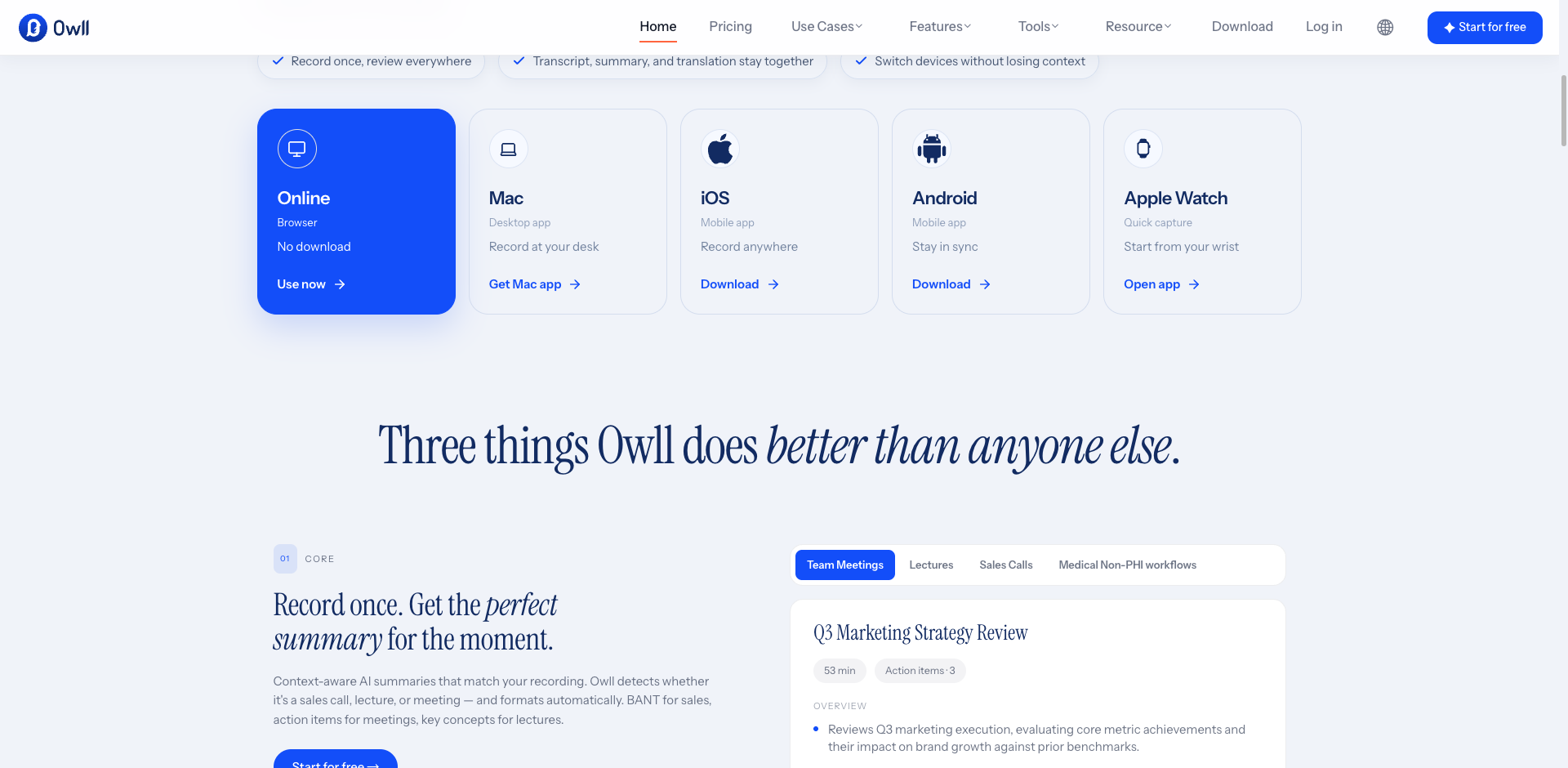
Compare all seven tools across free-tier reality, biggest catch, capture method, platforms, and starting paid cost:
| Tool | Free Plan / Trial | Biggest Hidden Catch | Capture Method | Platforms | Paid Starting Cost |
|---|---|---|---|---|---|
| Fathom | Unlimited solo video calls & basic recaps | Visible bot joins calls; no uploads or rooms | Meeting bot | Zoom, Meet, Teams | Paid team tiers (check site) |
| tl;dv | Unlimited Meet & Zoom clips | Microsoft Teams paywall; cross-call AI paid | Meeting bot | Meet, Zoom (Teams paid) | Paid tiers (check site) |
| Fireflies.ai | Unlimited live calls + uploads | 800-min lifetime storage deletion; low AI credits | Meeting bot + upload | Web, Zoom, Meet, Teams, mobile | From ~$10/mo annual (check site) |
| Otter.ai | 300 min/mo live captions | 30-min/call cutoff; English-only; 3 lifetime imports | Meeting bot + mobile | Web, iOS, Android | Paid Pro plans (check site) |
| Notta | 120 min/mo advertised | Strict 3-min/recording cutoff; exports locked | Meeting bot + Chrome | Web, Chrome, iOS, Android | From ~$8.17/mo annual (check site) |
| MacWhisper | Unlimited local files (base models) | macOS only; no sync; summaries need API key | Offline Mac app | macOS only | Free base; one-time Pro license |
| Owll (Upgrade) | Try for Free (cancel anytime; no permanent free tier) | No permanent free tier; no native Windows desktop app | Bot-free Instant Record + Online Meeting + uploads + YouTube | Mac, Web, iOS, Android, Apple Watch | $49.99/yr Starter ($0.96/wk) |
We verified live free-tier caps and Owll pricing in November 2026; confirm vendor checkout pages before subscribing. Next, let us look past spec sheets to examine real-world workflow tradeoffs.
Hands-On Reviews: 7 Tools Tested in Real Meetings
Spec tables never reveal how an app handles an awkward client waiting room or a fast bilingual call. Below are our honest workflow findings, pros, and dealbreakers across all seven tools.
1. Fathom — Most Generous Free Plan for Solo Video Calls
Fathom wins among solo consultants because its individual free plan drops monthly minute timers completely. You connect your calendar, let Fathom’s bot join the call, and click once to bookmark key quotes live. Read our Fathom alternatives comparison if you want bot-free capture or mobile room recording.
- Pros: Unlimited free solo video recaps without 30-minute timers; clickable highlight clips share cleanly into Slack.
- Cons: Visible bot alarms external clients; lacks in-person mobile recording, audio uploads, and YouTube recaps; team folders require paid plans.
- Best for: Solo freelancers running desktop video calls who do not mind a visible bot.
2. tl;dv — Best Free Video Highlight Clips on Meet and Zoom
Product researchers rely on tl;dv to slice hour-long user interviews into shareable two-minute video reels. You tag feature requests live on Google Meet or Zoom and send exact moments straight to engineers. Corporate Microsoft Teams users hit a paywall immediately, and cross-call AI reports require paid subscriptions.
- Pros: Free cloud recording and timestamped highlight reels on Meet and Zoom; keyword search jumps straight to the video second.
- Cons: Microsoft Teams paywall excludes mixed-platform teams; relies on a visible bot; limits free structured AI notes and skips offline mobile capture.
- Best for: UX research and customer teams on Meet or Zoom sharing short video clips.
3. Fireflies.ai — Best Free Searchable Vault Until Storage Fills Up
Fireflies.ai focuses on cross-call keyword search and sales coaching across Zoom, Teams, and Google Meet. Unlike Otter, Fireflies records full hour-long meetings and accepts manual audio uploads on its free plan. Friction hits roughly two weeks later once your account reaches its 800-minute lifetime storage deletion ceiling.
- Pros: Records full-length video calls and uploaded files without a 30-minute timer; strong keyword search across archived discussions.
- Cons: The 800-minute lifetime storage cap forces permanent deletion of older calls; uses a visible “Fred” bot; free AI summary credits run dry fast.
- Best for: Small sales teams testing searchable call libraries who accept purging older recordings.
4. Otter.ai — Fast Live English Captions for Brief Standups
Otter.ai excels when English-speaking teams want low-latency captions they can highlight together during live meetings. Its mobile app also handles quick in-person standups smoothly from your conference table. Two hard limits block full workdays: free calls stop at 30 minutes, and workflows stay English-focused. Compare broader tools in our meeting transcription software guide.
- Pros: Responsive real-time English captions with shared live highlighting; pairs video-call capture with direct mobile recording.
- Cons: Hard 30-minute cutoff drops the second half of hour-long calls; English-only free focus lacks bilingual code-switching; caps lifetime file imports at three.
- Best for: English-speaking individuals running brief 15-to-25-minute daily check-ins.
5. Notta — Polished Multilingual UI With a 3-Minute Free Wall
Notta offers polished web and mobile apps alongside a handy Chrome extension for capturing browser audio across 58+ languages. In actual testing, however, Notta cuts off every free recording at exactly three minutes. That timer turns the free tier into a short demo rather than a meeting recorder. Explore less restrictive tools in our Notta alternatives guide.
- Pros: Useful Chrome tab recorder for browser streams; clean multilingual interface once you pay for Pro.
- Cons: Strict 3-minute per-recording wall breaks real meetings; transcript exports and structured AI summaries stay locked behind Pro (~$8.17/mo annual).
- Best for: Paid Notta Pro subscribers capturing Chrome webinars, or free testers recording quick voice memos.
6. MacWhisper — Best Completely Free Offline Recorder on Mac
MacWhisper skips cloud servers completely by running OpenAI Whisper models directly on your Mac hardware. Your audio stays 100% local, and free base models process unlimited files without monthly quotas or storage deletion. You can also capture macOS system audio locally without inviting a bot. Explore more local tools in our free audio-to-text transcription guide.
- Pros: Complete offline privacy for legal, medical, and investigative recordings; zero monthly minute limits on free base models.
- Cons: Strictly macOS only (no Windows, Web, Android, or cloud sync); older Macs run slowly; AI summaries need your own paid API key or Pro upgrade.
- Best for: Privacy-strict Mac users transcribing confidential local recordings without needing cross-device sync.
7. Owll — Best Budget Upgrade When Free Traps Break Your Workflow

Let us be completely transparent: Owll does not offer a permanent free tier. Instead, you begin with a cancel-anytime Try for Free trial and transition into annual plans starting at $49.99/year ($0.96/week). One workspace replaces three fragmented free apps. You combine bot-free Instant Record, optional Record Online Meeting, unlimited large file Upload & Transcribe, and one-click Transcribe YouTube.
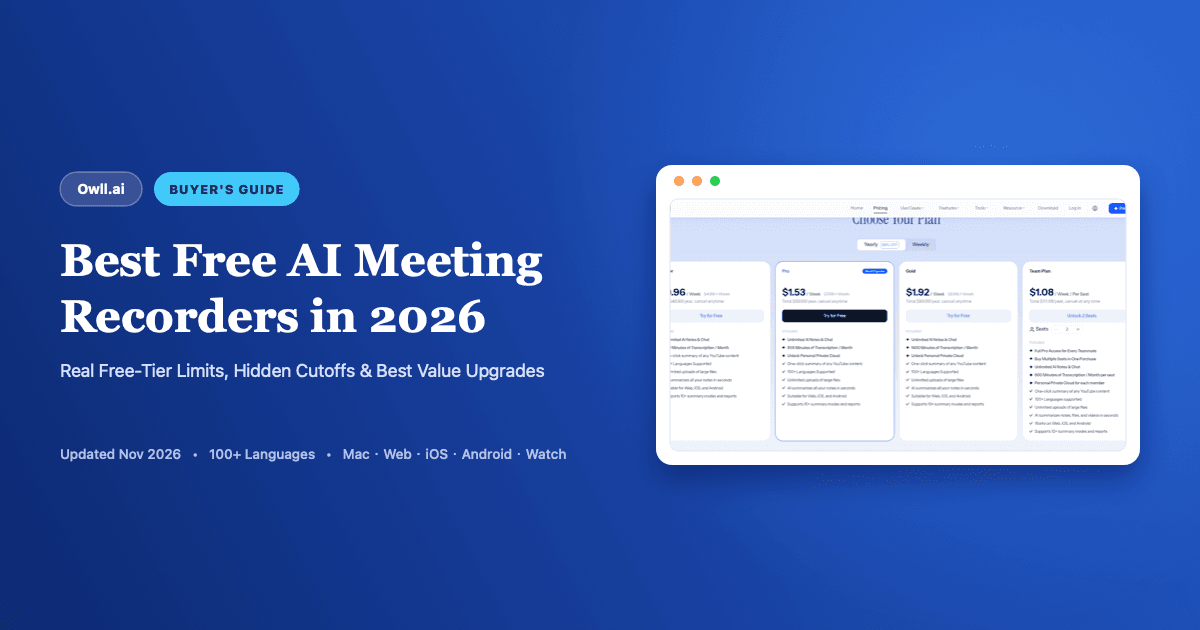
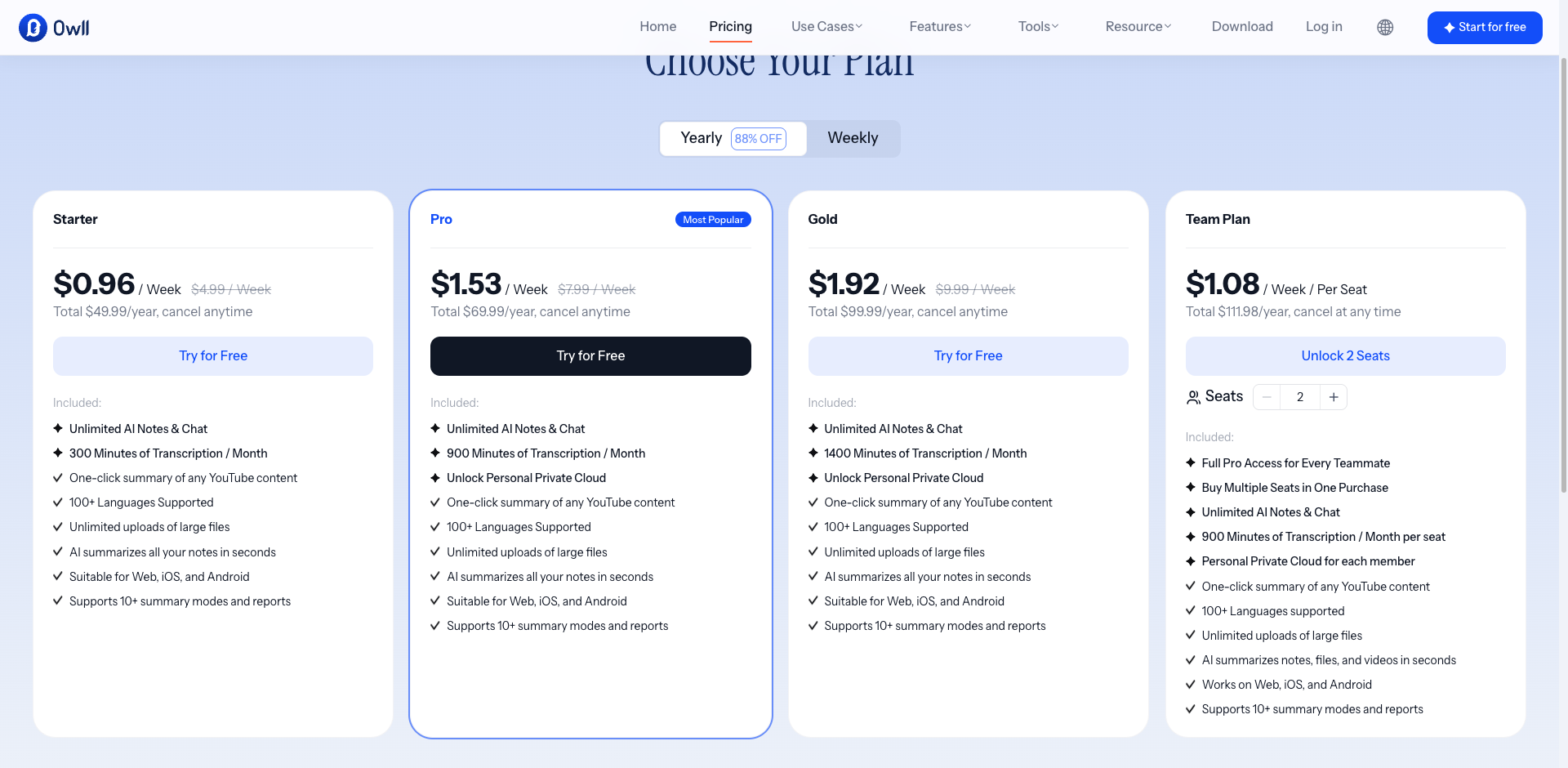
- Pros: Syncs across 5 devices (Mac, Web, iOS, Android, Apple Watch); transcribes 100+ languages with real-time code-switching; includes 10+ summary modes, speaker profiles, and unlimited AI notes; clear annual tiers (Starter $49.99/yr for 300 min/mo, Pro $69.99/yr for 900 min/mo + Personal Private Cloud, Gold $99.99/yr for 1,400 min/mo, Team $1.08/wk/seat or $111.98/yr for 2 seats).
- Cons: No permanent free tier (uses a cancel-anytime Try for Free trial into paid plans); no native Windows desktop app (Windows users run Owll via Web); fewer native CRM field-sync pipelines than sales bots like Fireflies.ai.
- Best for: Hybrid professionals, international teams, and students wanting one bot-free hub across calls, rooms, mobile, and files under $1/week.
Paying anything sounds unnecessary when five competing tools advertise $0 tiers on their homepages. That calculation changes quickly once you measure the weekly hours lost to free-tier workarounds.
When a $0.96/Week Annual Plan Beats Jumping Between Free Tiers
Consider one normal week for Priya, a bilingual product consultant serving European and U.S. clients. She runs four Zoom check-ins, joins two Microsoft Teams reviews, and meets a supplier over coffee. She also watches a 50-minute webinar every Thursday afternoon. Sticking purely to free tiers scatters her notes across Fathom, phone Voice Memos, and a browser file converter. She burns 25 minutes every Friday hunting across three apps to assemble one client update.
Most mainstream bot recorders charge $100 to $220 per year per seat once free caps bite. By contrast, Owll Starter costs $49.99/year ($0.96/week) for 300 monthly minutes, while Owll Pro costs $69.99/year ($1.53/week) for 900 minutes plus Personal Private Cloud. That gap pays for itself in one saved hour. You eliminate 3-minute cutoffs, 30-minute timers, 800-minute storage deletion, and awkward client bots together. Check full tier math in our Owll pricing breakdown or our best meeting recorder app guide.
Still planning to test a free tier first? Run this quick five-minute stress test before putting any recorder on your client calendar.
5-Minute Stress Test: Vet Any Free Recorder Before a Client Call
Run your shortlisted recorder on an internal 35-minute practice call using these five checks:
- Pass the 35-minute clock test: Confirm capture runs past minute 3 (Notta) and minute 30 (Otter) without paywalls.
- Audit calendar Auto-join: Turn off automatic bot dispatch before HR, legal, or prospect calls.
- Test non-video audio: Upload a 10-minute voice memo or record a room chat to spot video-only lock-in.
- Verify exports and deletion: Download one transcript and check whether storage ceilings erase old calls.
- Test mixed language: Mix two languages or domain acronyms aloud to verify technical phrasing.
Once your preferred tool passes these five checks, four edge-case questions usually remain around ChatGPT, offline privacy, legality, and bot etiquette.
Frequently Asked Questions
Can ChatGPT record work meetings for free?
No—standard free ChatGPT cannot join Zoom, Teams, or Google Meet calls or capture multi-platform system audio automatically. While OpenAI added a Record Mode to select paid macOS desktop workspaces, free users must still record audio elsewhere and paste transcripts manually. Dedicated meeting recorders capture, label speakers, and summarize calls automatically.
Is there a completely free offline AI voice recorder with no cloud uploads?
Yes—MacWhisper’s free macOS tier and open-source OpenAI Whisper on Windows or Linux transcribe audio completely offline with zero monthly caps. Both tools keep audio strictly local. Keep two caveats in mind: transcription speed relies on Apple Silicon or a local GPU, and AI summaries still need your own API key or local LLM.
Is it safe and legal to use AI to record confidential work calls?
Safety and legality depend on participant consent and vendor data policies. All-party consent states like California and EU GDPR rules require notifying everyone before recording starts. Always check whether a free plan trains AI models on your audio by default; paid tiers like Owll Pro add a Personal Private Cloud for tighter control.
What hidden limits should you check before inviting a free bot to client calls?
Check three settings before any client meeting starts. First, disable automatic post-call recap emails so raw AI mistakes never reach prospects before you review them. Second, turn off blanket calendar Auto-join so bots skip private HR or executive discussions. Third, note that strict corporate Zoom or Teams hosts often block external bots at the lobby.
Ready to Stop Fighting Free-Tier Cutoffs?
Choose the recorder whose real boundaries fit your weekly calendar without unexpected interruptions. Stay with Fathom for free solo video calls with a visible bot, or install MacWhisper for free offline Mac files. Ready to unify online calls, room meetings, 100+ languages, and uploaded files in one bot-free workspace from $49.99/year? Try Owll for Free (Cancel Anytime) →
Related Guides
- How to Transcribe Audio to Text Free in 2026
- Best Meeting Recorder App in 2026: 7 Top Tools Compared
- Best Meeting Transcription Software Compared
- Best Fathom Alternatives: Bot-Free & Multi-Device Options
- Best Notta Alternatives Without 3-Minute Free Caps
- Know the Cost of Owll.ai: Full 2026 Pricing Breakdown