On this page
Replaying a 60-minute meeting, lecture, or interview at 1.5x speed still eats 40 minutes of your afternoon. Even basic speech-to-text apps leave you staring at a 9,000-word wall of raw dialogue. Modern audio summarization cuts straight past raw transcripts to deliver structured decisions, key themes, and verified action items fast.
Quick Answer: Fastest Way to Turn Recordings into Notes
Choose your fastest workflow below based on where your audio recording lives right now:
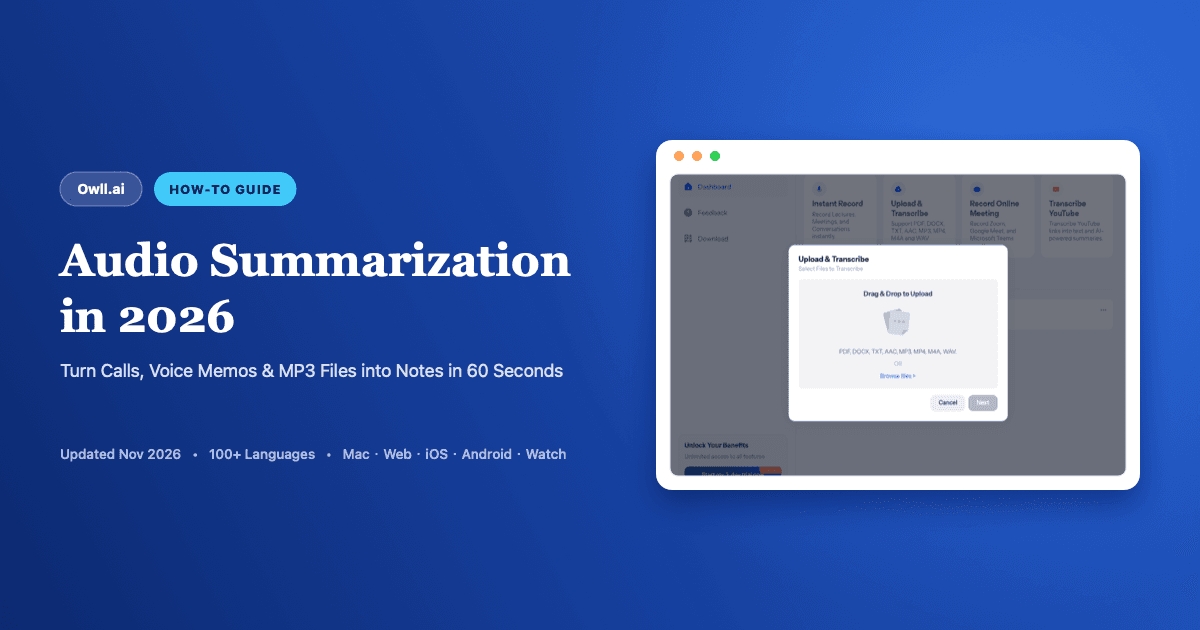
- Saved files (MP3, M4A, WAV, AAC, MP4): Drop files into Owll Upload & Transcribe and select one of 10+ summary modes.
- Live sessions: Use bot-free Instant Record on Mac, Web, iOS, Android, or Apple Watch for immediate post-call notes.
- YouTube talks: Paste the URL into Transcribe YouTube instead of risking third-party MP3 downloaders.
- Research packs (audio + PDFs): Upload short clips alongside PDFs in Google NotebookLM for cross-document Q&A.
Before you upload your next file, see how reliable AI tools turn raw speech into clean, accountable notes.
How AI Audio Summarization Works Behind the Scenes
Accurate audio summarization depends on a three-stage pipeline rather than cramming raw audio into one generic prompt. Apps that cut corners on any stage produce mixed-up speakers, missed numbers, and vague recaps that hide real deadlines.
- Automatic Speech Recognition (ASR): Converts sound waves into timestamped text while handling accents, jargon, and mid-sentence code-switching.
- Speaker Diarization: Separates voices into distinct speaker tracks so every quote, decision, and task stays attached to the right person.
- Context-Aware Synthesis: Formats the transcript for your exact job—meeting minutes, lecture outlines, or interview themes—with clickable timestamps.
That third stage separates genuinely useful workplace notes from bland text shortening across completely different recording formats. A university biology seminar and a quarterly sprint review require different layouts, yet weak apps compress both into identical paragraphs. Next, match your exact audio format to the cleanest workflow below.
Route Your Workflow by Audio Input Type
Every recording source triggers a distinct bottleneck, from noisy phone mics on solo memos to tight upload caps on two-hour lectures. Use the routing table below to match your file type to the fastest setup.
| Audio Input | Typical Source | Main Friction | Best Mode | Fastest Path |
|---|---|---|---|---|
| Voice memos (M4A/AAC) | iPhone, Android, Apple Watch | Rambling ideas and cafe noise | Quick Takeaways | Instant mobile record or M4A upload |
| Interviews (MP3) | Recorders, Zoom audio, user calls | Mixing up host and guest quotes | Interview Highlights | Upload MP3 and assign speaker profiles |
| Lectures (WAV/M4A) | 60–120 min classes and seminars | 3–30 min free caps and large files | Lecture Concepts | Upload large file without splitting |
| Podcasts/Webinars (MP4) | Panels, trainings, town halls | Converting MP4 into MP3 manually | Executive Brief | Direct MP4 upload with zero conversion |
| YouTube links (URL) | Public talks, keynotes, tutorials | Unsafe downloaders and sponsor fluff | Study Outline | Paste link into Transcribe YouTube |
Two silent traps slow down most readers across these five recording sources during busy weeks. Many free web tools stop transcribing after 3 to 30 minutes, forcing tedious manual file splitting before upload. Phone recordings also arrive in mobile containers that older desktop tools reject without conversion. For mobile-heavy setups, read our guides on turning Android voice messages into text and choosing a lecture recording app. Once you pick your source path, run this four-step workflow to summarize any recording fast.
Step-by-Step: Turn Recordings into Structured Notes with Owll
You can capture, transcribe, and summarize every major format inside one workspace without juggling file converters or copy-paste prompts. Follow the four-step sequence we use inside Owll to turn long audio into clean notes.
Step 1: Capture Live Audio or Upload Your File Directly
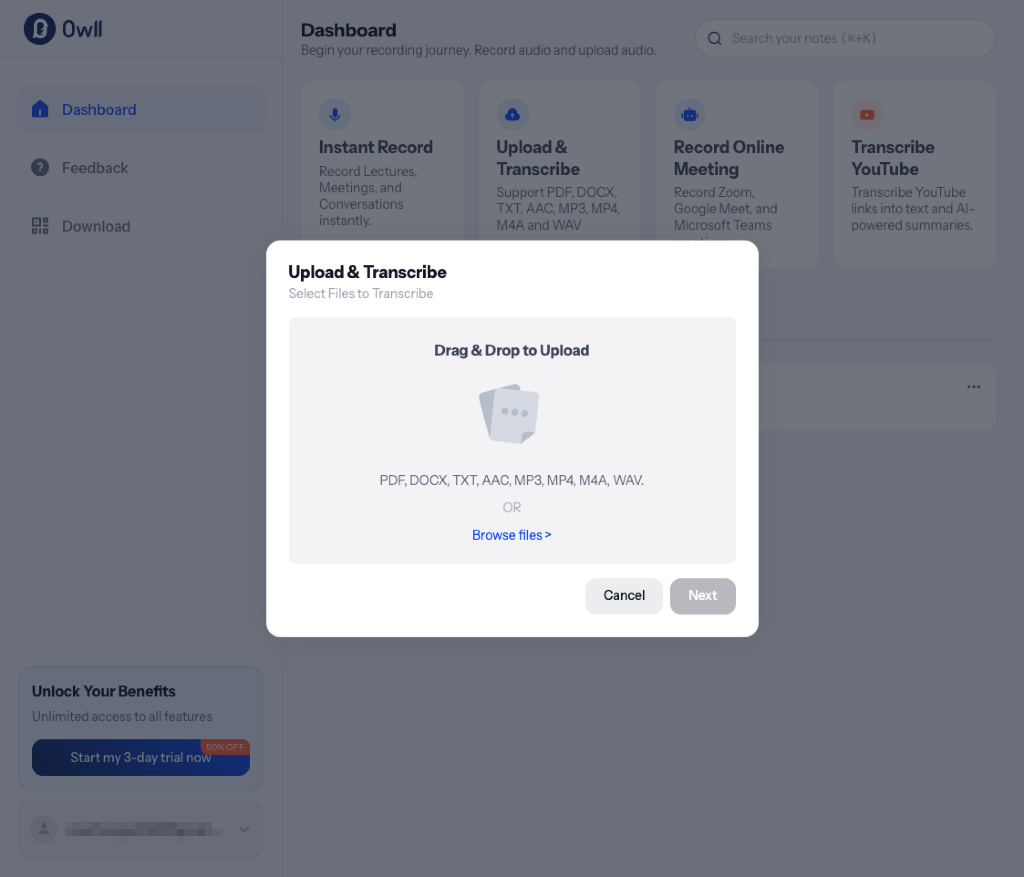
Start by bringing your recording into Owll through whichever entry point matches your device and session. For live discussions, tap Instant Record on Mac, Web, iOS, Android, or Apple Watch without sending a visible meeting bot. Windows users run the full workspace directly inside the Web app. For saved recordings, open Upload & Transcribe and drop your MP3, MP4, M4A, WAV, or AAC file straight in. You can also attach companion PDF, DOCX, or TXT reference docs, or paste URLs into Transcribe YouTube. Paid plans include unlimited large file uploads so two-hour sessions stay in one piece.
Once your recording finishes processing, accurate language settings and clear speaker labels sharpen every summary line.
Step 2: Confirm Languages and Assign Speaker Profiles
Owll transcribes speech across 100+ languages and handles real-time code-switching when speakers change languages mid-sentence. After the transcript loads, connect recurring teammates or interview guests to saved speaker profiles. Tagging Priya, Marco, and David once replaces generic speaker numbers across the file and keeps follow-ups accountable.
Step 3: Pick From 10+ Summary Modes for Your Audience
Replace bland paragraphs by choosing one of Owll’s 10+ purpose-built summary modes matched to your reader. Use an action-item layout for project calls, concept outlines for lectures, or quote extracts for customer research. For sharper note structure, explore our guides on how to summarize a meeting and writing an objective summary.
Here is how a 44-minute product discovery interview condenses into an actionable brief you can paste straight into Slack:
RECORDING: Retail Pilot Interview | Nov 24, 2026 | 44 min
Speakers: Priya (PM), Marco (Ops Lead)

KEY FINDINGS
- Managers drop note tools that require desktop file conversion.
- English/Spanish handoffs break single-language voice apps.

QUOTE [18:42]
- Marco: "Floor leads record two-minute shift notes on mobile. Anything beyond one tap gets ignored."

NEXT STEPS
- Ship mobile M4A upload checklist -> Priya -> Dec 2
- Test bilingual summaries across five stores -> Marco -> Dec 5
With your structured draft ready, one quick pass lets you dig deeper and distribute notes everywhere.
Step 4: Query with AI Chat, Verify Timestamps, and Sync
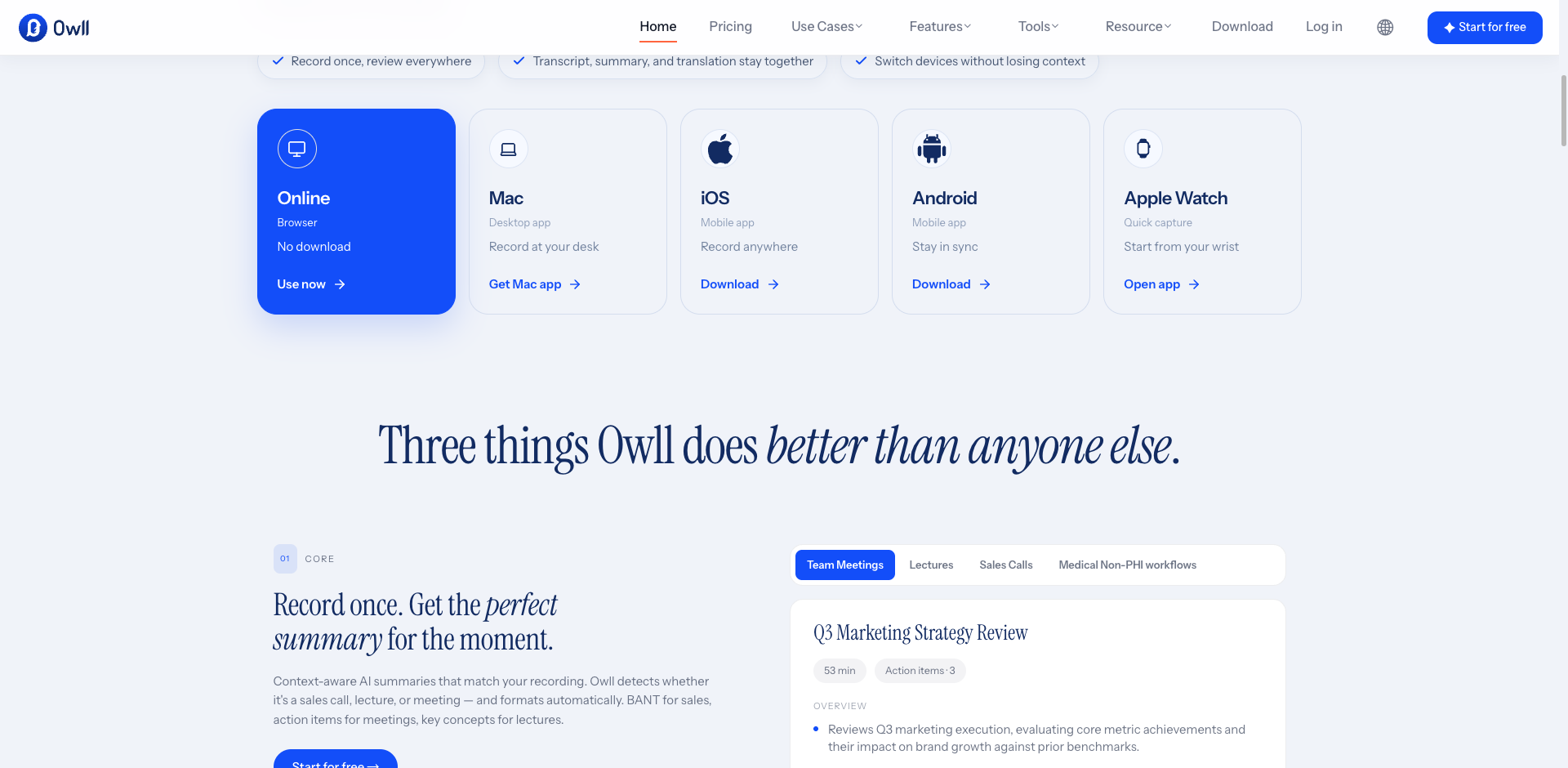
Run unlimited AI chat prompts whenever you need targeted answers that sit outside your main summary template. You can ask Owll to extract every budget objection Marco raised or draft a short update for leadership. Click any linked timestamp to replay that exact audio clip before exporting your notes. Finished records sync across all five Owll devices, and Pro, Gold, and Team subscribers keep sensitive files in their Personal Private Cloud. Clear input audio makes this step even faster.

Even top speech models depend heavily on clean microphone capture, so a quick pre-recording habit pays huge dividends.
Audio Quality Checklist for Cleaner Summaries
Most AI summary errors trace back to muffled audio capture rather than weak language models. Echoing conference rooms blur consonants and force speech recognition to guess names, acronyms, and prices. Run these five quick habits before hitting record:
- Keep the mic 6 to 12 inches away: Place your phone or laptop close to speakers rather than the far table edge.
- Cut room echo and HVAC noise: Avoid empty glass rooms and turn on free Apple Voice Isolation during Mac or iPhone calls.
- State speaker names first: Have guests say their names once (“Elena from Finance”) so speaker tags lock in cleanly.
- Limit crosstalk: Pause briefly before replying so overlapping speech never blurs into garbled lines.
- Upload the original file: Send native M4A, WAV, or MP4 recordings directly instead of routing clips through messaging apps.
Want to test how free tools handle noisy speech before choosing a daily platform? Compare options in our guide to free audio-to-text transcription tools, then review the four direct audio summarizers below.
Direct Audio Summarizers Compared: Owll vs. NotebookLM vs. Notta vs. ChatGPT
Your best audio summarizer depends on weekly recording volume, language needs, and how many devices you carry. Someone condensing one podcast a month needs a different stack than a manager processing ten hours of calls weekly.
| Tool / Method | Direct Audio Input | Long-File Handling | Modes & Speaker Profiles | Languages & Devices | Pricing & Free Access |
|---|---|---|---|---|---|
| Owll | MP3, MP4, M4A, WAV, AAC, YouTube (+ PDF, DOCX, TXT) | Unlimited large uploads on paid plans | 10+ summary modes + speaker profiles + AI chat | 100+ languages (code-switching); Mac, Web, iOS, Android, Apple Watch | Try for Free (cancel anytime); Starter $49.99/yr, Pro $69.99/yr, Gold $99.99/yr, Team $1.08/wk/seat |
| NotebookLM | MP3, WAV, YouTube, PDFs, Docs | Multi-source research notebooks | Source Q&A and study guides (no speaker profiles) | Web-first Google workspace (check mobile limits) | Free Google tier + paid plans (check vendor site) |
| Notta | MP3, WAV, M4A, MP4, web links | Free tier caps files at 3 min; paid lifts cap | Summary templates + basic speaker tags | Multi-language; Web, iOS, Android, Chrome | Free tier (120 min/mo, 3-min/file cap); paid on vendor site |
| Manual ChatGPT | Needs separate transcriber first | Long text requires manual chunking | Manual prompts; no clickable audio timestamps | Depends on separate transcriber + ChatGPT | Free tier with limits + paid plans (check vendor site) |
Feature grids highlight headline specs, yet everyday workflow friction determines which tool you keep using past week two.
1. Owll — Best All-in-One Workflow for Daily Audio Summarization
Owll eliminates the constant app switching that derails most team and student note habits. You can capture live audio on Apple Watch, upload a two-hour MP4 webinar, or paste a YouTube talk inside one library. Pairing 100+ languages with code-switching, speaker profiles, and 10+ summary modes gives global teams clean outputs without tedious editing.
- Pros: Unlimited large uploads on paid plans; Personal Private Cloud on Pro ($69.99/yr, 900 min/mo), Gold ($99.99/yr, 1,400 min/mo), and Team ($1.08/wk/seat); Starter at $49.99/yr (300 min/mo).
- Cons: No native Windows desktop app (Windows runs via Web); no permanent free tier beyond the cancel-anytime Try for Free trial.
2. NotebookLM — Best Free Tool for Cross-Source Research
Google NotebookLM shines whenever your audio clip sits alongside written papers, decks, or web research. Students and analysts can drop an MP3 interview next to five PDFs and query recurring themes across every source with citations. Because Google designed it for research notebooks rather than live capture, you lose Apple Watch recording, speaker profiles, and meeting templates.
- Pros: Free Google tier; synthesizes audio alongside PDFs and docs with citations.
- Cons: No bot-free live capture, speaker profiles, or dedicated meeting modes.
3. Notta — Clean Web Dashboard with a Steep Free-Tier Cap
Notta offers a clean browser dashboard for uploading standard audio files alongside bilingual transcription tools. The catch arrives fast when you test the free tier on real recordings. Although Notta advertises 120 free minutes monthly, its three-minute per-file cutoff forces lecture and interview users onto paid plans.
- Pros: Clean browser uploader; solid bilingual transcription on paid tiers.
- Cons: Free 3-minute per-file cap blocks real audio; fewer capture devices than Owll.
4. Manual Transcript + ChatGPT — Best for Rare Custom Prompts
Pairing a basic transcriber with ChatGPT works fine if you only summarize one short English clip every few weeks. You keep total freedom to experiment with unusual prompt formats whenever a special project comes up. Once weekly audio volume grows, slicing massive transcripts into pieces and losing clickable timestamps slows every review down.
- Pros: Total prompt flexibility for bespoke formats using familiar chat tools.
- Cons: Slow copy-paste relay; no clickable audio timestamps; manual chunking hurts continuity.
Have edge-case questions about unsupported formats, two-hour files, cross-language summaries, or fact-checking? The four answers below resolve the most common workflow blockers.
Frequently Asked Questions
Can I summarize audio and video files without converting formats first?
Yes, modern audio summarizers accept native containers like MP3, MP4, M4A, WAV, and AAC directly with no external converter needed. Skipping manual conversion saves minutes and prevents lossy re-encoding that blurs speech clarity. Only older dictaphone formats such as WMA or AMR need a quick export to MP3 before uploading.
How do I summarize a two-hour recording without manual chunking?
Upload the full recording into a dedicated summarizer with large-file support rather than pasting sliced text into a chatbot. Manual chunking breaks continuity because early proposals get detached from final decisions reached ninety minutes later. Paid Owll plans allow unlimited large file uploads, keeping timelines and tasks unified across long sessions.
Can I translate a foreign-language recording directly into an English summary?
Yes, multilingual summarizers like Owll transcribe speech across 100+ languages in the original language first, then output a clear English summary. Keeping the original transcript intact protects accuracy for cross-border teams. Bilingual reviewers can check subtle idioms against the exact spoken wording before sharing English notes with headquarters.
How should I verify quotes and numbers in an AI summary before sharing?
Run a 60-second timestamp audit before sending AI notes to clients, managers, or external readers. Check three high-risk details first: dollar figures or dates, proper nouns, and flipped negatives like will versus won’t. Click each linked timestamp to replay that ten-second clip and confirm exact wording before hitting send.
Turn Your Next Recording into Clear Notes in Minutes
Stop spending forty minutes replaying every hour of audio just to draft five bullet points. Put bot-free live capture, direct file uploads, YouTube summaries, and 10+ modes inside one synced workspace. Test Owll on your very next recording and see how fast structured notes come together.
Try Owll for Free (Cancel Anytime) → or compare Starter, Pro, Gold, and Team plans starting at $49.99/year.