On this page
Evaluating an AI note taker should never require digging through outdated help threads or fine print. This guide covers verified specs for Owll AI Note Taker, including 2026 pricing, 5-device sync, capture modes, and Owll Translator. You also get honest boundaries upfront, including no native Windows app or permanent free tier.
Quick Answer: Owll AI Note Taker Specs and Plans (Updated 2026-11-27)
Review the verified Owll AI Note Taker core specs as of November 27, 2026, before diving into the detailed sections below:
- 5-Device Sync: Syncs across Mac, Web, iOS (iPhone and iPad), Android, and Apple Watch under one account (no native Windows app; Windows users use Web).
- Capture Modes: Bot-free Instant Record, Upload and Transcribe (
MP3, MP4, M4A, WAV, AAC, PDF, DOCX, TXT; unlimited large uploads on paid plans), Record Online Meeting (Zoom, Google Meet, Microsoft Teams), and Transcribe YouTube. - Languages and AI Tools: 100+ languages with real-time code-switching and written translation, 10+ summary modes, speaker profiles, and unlimited AI notes and chat.
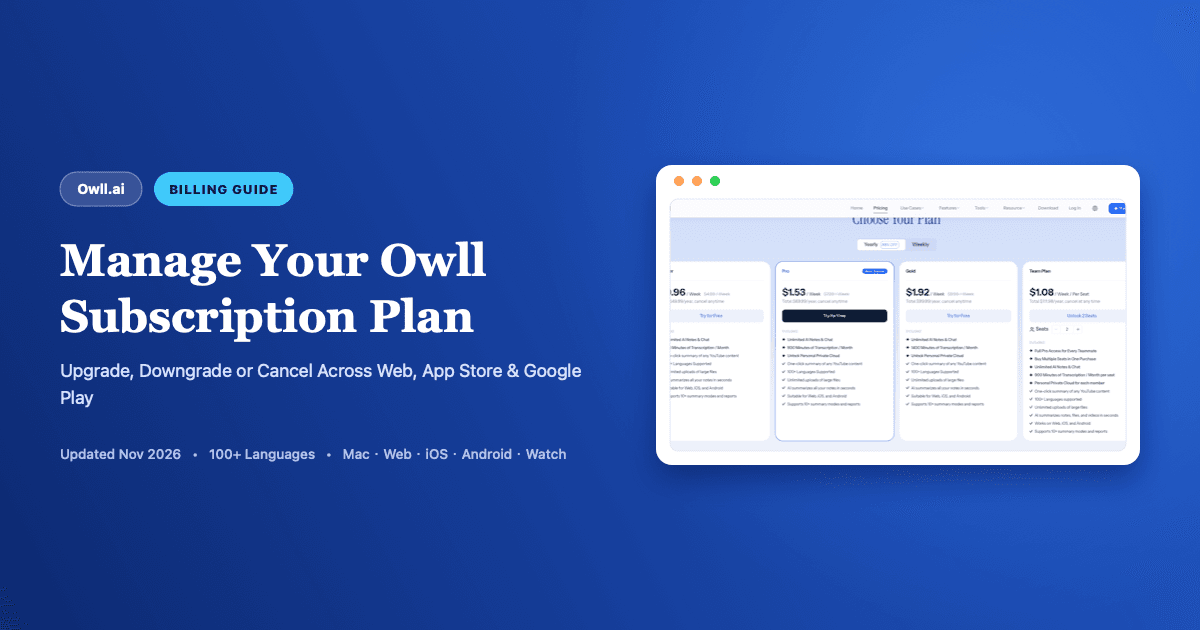
- 2026 Plans: Try for Free / Start for free (cancel anytime; no permanent free tier). Paid tiers: Starter $49.99/yr (300 min/mo), Pro $69.99/yr (900 min/mo + Personal Private Cloud), Gold $99.99/yr (1,400 min/mo + Personal Private Cloud), and Team $1.08/wk/seat ($111.98/yr for 2 seats).
- Sister App and Support: Live voice and photo translation live in Owll Translator (translator.owll.ai); email support anytime at [email protected].
Start for Free on Owll.ai — Test 5-Device AI Note Taking →
Devices and 5-Device Sync: Where Owll Runs
Your conversations rarely stay confined to one laptop or browser tab across a busy workday. You might run a client review on Mac, record a hallway recap on iPhone, and capture reminders on Apple Watch. Signing in with one Owll account syncs every recording, transcript, and summary across your devices without manual file transfers.

We state one platform boundary clearly before you install anything on your work machine. Owll ships native apps for Mac, iOS (iPhone and iPad), Android, and Apple Watch alongside its Web workspace. We do not offer a native Windows desktop app, so Windows users sign in through the Web workspace instead. Next, check microphone needs and common mobile recording fixes.
Do You Need External Microphones or Recording Gear?
You do not need a handheld voice recorder or USB microphone to capture clear transcripts with Owll. Built-in microphones on modern phones, tablets, Macs, and Apple Watch handle everyday meetings and classes reliably. Place your device near the speaker in noisy rooms, or import external audio recorded in large auditoriums to keep transcripts accurate.
Fixing Mobile Recordings That Stop After a Few Seconds
If an outgoing mobile recording stops early, three quick checks resolve most interruptions within two minutes. First, verify your network connection is stable and confirm Owll holds microphone permissions in device settings. Second, install the latest app update so mobile OS background rules stay compatible with active recording. If the issue persists, email [email protected] or follow our Owll support guide with your device model.
Four Capture Modes and Supported File Formats
Many note takers route every workflow through one rigid calendar bot that fails outside scheduled video calls. Owll splits capture into four paths matched to your room, call, or file, keeping every result in one searchable library.

1. Instant Record (Bot-Free Live Capture)
External clients and interviewees often hold back when a third-party bot announces itself in a meeting lobby. Instant Record captures audio quietly without dropping a visible bot into your call or in-person room. Use it for coffee meetings, lectures, executive briefings, or voice memos on Mac, mobile, or Apple Watch while staying present.
2. Upload and Transcribe (Audio, Video, and Documents)
Teams regularly inherit recorded interviews, voice memos, or reference docs sitting inside local folders. Owll imports MP3, MP4, M4A, WAV, AAC, PDF, DOCX, and TXT files directly into your workspace. Paid plans allow unlimited large file uploads, letting multi-hour seminars process without arbitrary size ceilings. One inbox replaces juggling separate audio converters and document summarizers.
3. Record Online Meeting (Zoom, Google Meet, and Microsoft Teams)
When your calendar fills with remote video sessions, you want transcripts connected directly to your call platforms. Owll records online meetings across Zoom, Google Meet, and Microsoft Teams without forcing a separate archive. Every remote recap sits beside your in-person notes and uploaded files under one search bar across hybrid workweeks.
4. Transcribe YouTube Videos
Students, analysts, and product managers often need key arguments from long recorded webinars or public talks. Paste a public YouTube link into Owll to extract searchable text and concise takeaways in minutes. You skip manual playback scrubbing, pull verified quotes straight into your notes, and move directly to Owll’s synthesis tools below.
100+ Languages, Summary Modes, and Smart Workspace Tools
Accurate speech capture only solves half your problem when you still stare at ten pages of plain text afterward. Owll combines broad multilingual recognition with structured synthesis tools built to turn raw speech into immediate next steps.
100+ Languages with Real-Time Code-Switching
Global teams rarely stick to one textbook language from start to finish during a working session. Colleagues in Tokyo, Berlin, or Mexico City mix English product terms into local speech mid-sentence. Owll supports 100+ languages with real-time code-switching and written translation built directly into your workspace. Read our multilingual meeting note taker guide for practical cross-border call tips.
10+ Summary Modes and Unlimited AI Notes and Chat
A 15-minute sprint standup needs a different layout than a client discovery call or university seminar. Owll offers 10+ summary modes so you switch one transcript into action lists, executive briefs, or topic outlines instantly. Every paid plan also includes unlimited AI notes and chat so you verify exact commitments in seconds without skimming full transcripts.
Speaker Profiles and Personal Private Cloud
Anonymous “Speaker 1” and “Speaker 2” labels break down quickly when five teammates speak over each other. Owll’s speaker profiles let you tag recurring voices by name so assigned action items stay accurate. On Pro, Gold, and Team plans, Personal Private Cloud backs up your growing library inside your own dedicated cloud space. Next, review Owll’s verified 2026 pricing tiers and monthly quotas.
Verified 2026 Pricing Plans and Monthly Minute Quotas
Surprise recording caps and opaque add-on fees waste buyer time far more than transparent annual pricing. Every paid Owll tier unlocks the exact same AI capture, language, and summary engine without gating core tools. Plans scale strictly by monthly transcription minutes, cloud backup, and team seat count.
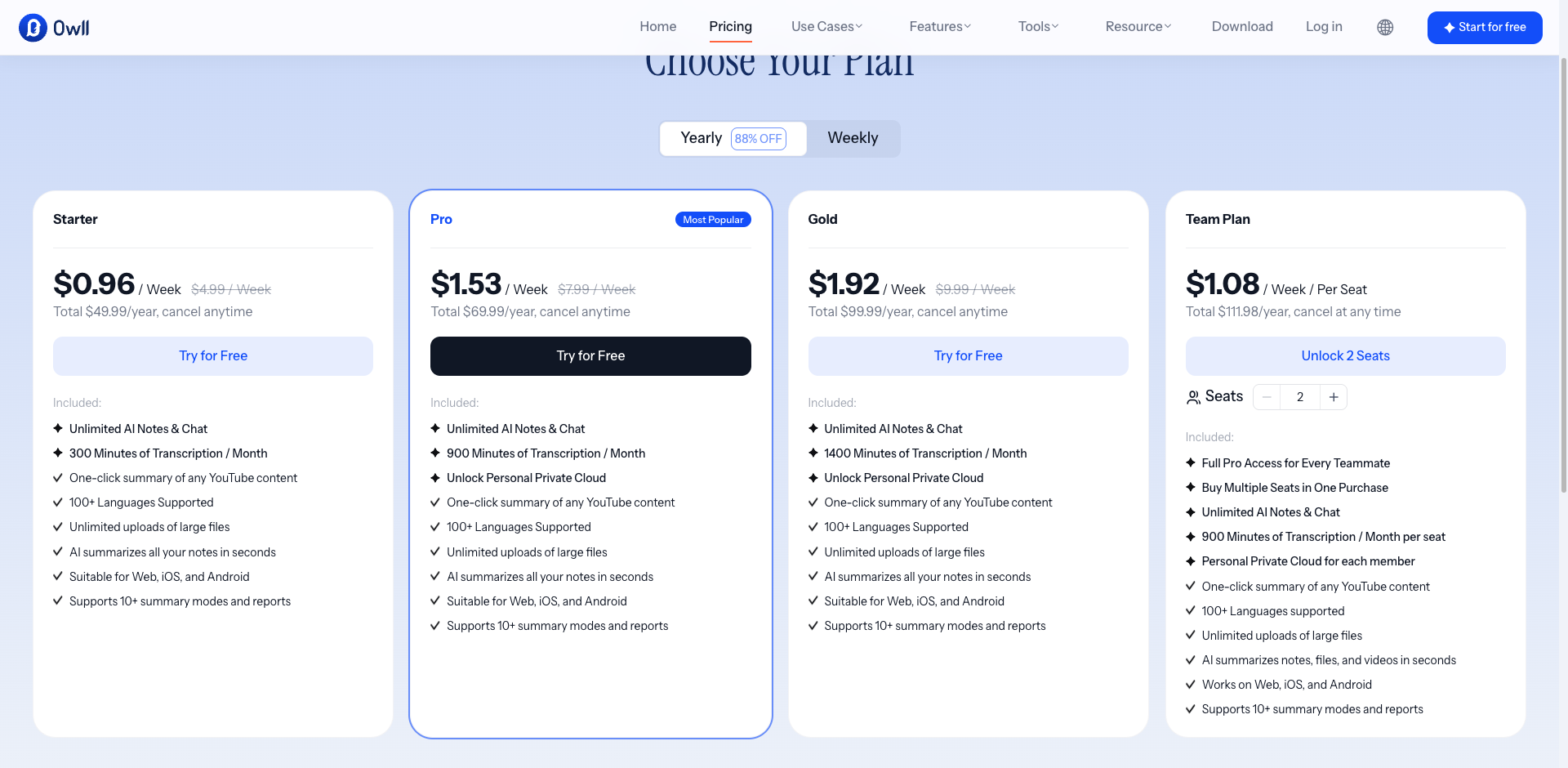
| Plan | Annual Price | Weekly Price | Monthly Quota | Cloud & Seat Rules |
|---|---|---|---|---|
| Starter | $49.99/yr ($0.96/wk) | $4.99/wk | 300 min/mo (5 hrs) | 1 individual user; 5-device sync |
| Pro (Most Popular) | $69.99/yr ($1.53/wk) | $7.99/wk | 900 min/mo (15 hrs) | 1 individual user + Personal Private Cloud |
| Gold | $99.99/yr ($1.92/wk) | $9.99/wk | 1,400 min/mo (23+ hrs) | 1 individual user + Personal Private Cloud |
| Team | $1.08/wk/seat ($111.98/yr for 2 seats) | Billed annually by seat | 900 min/seat/mo | 2+ seats; individual Personal Private Cloud per member |
Owll does not offer a permanent free plan, so start with our cancel-anytime Try for Free / Start for free option instead. Match your weekly audio schedule to the right paid tier below:
- Under 1.5 hours per week: Pick Starter ($49.99/yr) for occasional lectures or weekly check-ins, or pay $4.99/wk for a single busy conference week.
- 3 to 4 hours per week: Pick Pro ($69.99/yr)—an extra $20/yr triples your quota to 900 minutes and unlocks Personal Private Cloud.
- 5 to 6+ hours per week: Pick Gold ($99.99/yr) for heavy research interviews, journalism, or back-to-back executive calls under $100 per year.
- 2+ teammates sharing purchasing: Pick Team ($111.98/yr for 2 seats) to save $28/yr over two individual Pro plans while keeping each teammate’s cloud private.
Check local checkout currency on the live Owll.ai pricing page, or review our Owll.ai cost breakdown for competitor math. You can switch tiers or move from weekly to annual billing anytime using our subscription plan change guide. For refund policy eligibility, check the official Help Center on owll.ai or email [email protected] directly.
Owll AI Note Taker vs. Owll Translator: Choosing the Right App
Many visitors search for Owll expecting either meeting notes or live spoken travel translation, then wonder which product to open. Owll operates two dedicated apps built for distinct real-world language workflows. Compare both tools side by side so you start in the right workspace on day one.
| Dimension | Owll AI Note Taker (owll.ai) | Owll Translator (translator.owll.ai) |
|---|---|---|
| Core Job | AI note taker, voice recorder, and meeting assistant for transcripts, summaries, and tasks | Real-time AI voice and speech interpreter for live spoken conversations and travel |
| Platforms | Mac, Web, iOS (iPhone/iPad), Android, Apple Watch (Windows via Web) | Web, iOS, Android |
| Key Strengths | Bot-free Instant Record, 8 file formats, YouTube transcription, 10+ summary modes, speaker profiles, 100+ languages | Bi-directional live voice translation, conference mode, AI Voice Cloning, AI Photo Translation (menus, signs, docs) |
| Best Fit | Meetings, lectures, uploaded files, and searchable multi-device note libraries | Live international conversations, conferences, travel signs, and real-time media interpretation |
Choose Owll AI Note Taker when your goal is recording meetings, uploading files, and organizing written transcripts across five devices. Choose Owll Translator when speakers need live spoken interpretation, AI voice cloning, or camera photo translation on the road. Next, review four specific edge-case questions before starting your trial.
Frequently Asked Questions
How do I use Owll AI Note Taker on a Windows PC without a native desktop app?
Open Chrome or Edge on your Windows PC and sign in at owll.ai to reach your full workspace. From your browser, you can upload audio, video, or document files, paste YouTube links, and capture online meetings. Any notes recorded on iOS, Android, or Apple Watch appear on your Windows screen automatically.
How do I cancel Try for Free before my first paid billing cycle starts?
Cancel through the exact platform where you started your trial to stop renewal charges before billing begins. If you signed up on owll.ai, turn off auto-renewal inside your Web Billing settings. For mobile signups, cancel inside Apple App Store or Google Play Subscriptions at least 24 hours before renewal.
Is it legal to use an AI note taker for work calls or school lectures?
Yes, recording with an AI note taker is legal when you follow local consent laws and institutional policies. Many regions enforce all-party consent before you capture another person’s voice on audio. Announce Instant Record before meetings start, check your company IT rules or class syllabus, and ask permission first.
Can I export or back up my notes if I pause my paid Owll plan?
Yes, pausing or canceling a paid plan does not erase your saved library immediately. You can still sign in to review existing transcripts and summaries after your current billing period ends. Before stepping down from Pro, Gold, or Team, copy and save critical notes locally so your archive stays backed up offline.
Test Owll on Your Own Audio Today
The clearest way to evaluate Owll is to test one real meeting, uploaded lecture, or YouTube video from your own week. Start your cancel-anytime trial to verify transcription accuracy across your devices, or email [email protected] anytime for direct human support.