Auto Note Taker: How to Automate Meetings in 3 Steps Today
If your meetings blur together, lecture notes pile up, and switching languages slows you down, you’re not alone. Manually typing notes after every call or class is a time sink—and it’s easy to miss key points. An auto note taker changes that by turning raw audio into clear, structured notes you can review in minutes.…
On this page

If your meetings blur together, lecture notes pile up, and switching languages slows you down, you’re not alone. Manually typing notes after every call or class is a time sink—and it’s easy to miss key points. An auto note taker changes that by turning raw audio into clear, structured notes you can review in minutes. With Owll: AI Note Taker & Assistant, automatic note taking becomes part of your workflow, not another chore.
Owll helps students, professionals, researchers, and content creators capture ideas live, transcribe in 100+ languages, generate AI summaries, and even create flashcards and quizzes for faster recall. Think of it as meeting automatic note taking plus a study coach in one place.
Who Needs an Auto Note Taker
Students and lifelong learners
When lectures are dense and fast, an auto note taker keeps you focused on listening instead of typing. Owll converts a 60-minute lecture into a concise summary with bullet points, definitions, and key quotes. It can also generate flashcards and practice quizzes so you can lock in concepts before exams.
Busy professionals and hybrid teams
In fast-paced meetings, you need decisions, action items, and owners captured accurately. With meeting automatic note taking, Owll records, transcribes, and highlights decisions and tasks. You walk out with shared notes instead of a messy chat log. It reduces the “who said what” follow-up and keeps projects moving.
Researchers, journalists, and analysts
Interviews in different languages, long focus groups, or expert panels become manageable when you can transcribe and translate in one step. Owll supports over 100 languages and can summarize by topic, making it easier to pull quotes and themes without replaying hours of audio.
Content creators and educators
Podcasts, webinars, and workshops can be repurposed faster. Owll’s AI summaries help you draft show notes, blog posts, or course recaps from your recordings. You can clip key moments and export them to your content tools with less back-and-forth.
What Makes Owll Different
AI transcription with multilingual support
Owll captures audio from meetings, lectures, and conversations, then transcribes it accurately across 100+ languages. It handles accents and mixed-language sessions and keeps timestamps for quick reference. You can import existing recordings or record directly in the app.
AI summaries you can act on
Beyond raw transcripts, Owll builds structured AI summaries—key takeaways, decisions, action items, and open questions. For study sessions, it distills concepts into plain English and highlights definitions. For teams, it spots owners and deadlines so you can plug them straight into your task manager.
Flashcards and quizzes for faster learning
Owll turns your notes into flashcards and quizzes automatically. You can tailor the difficulty, shuffle questions, or focus on weaker topics. It’s a lightweight testing loop that helps students and professionals retain information, not just skim it.
Import, export, and sync across devices
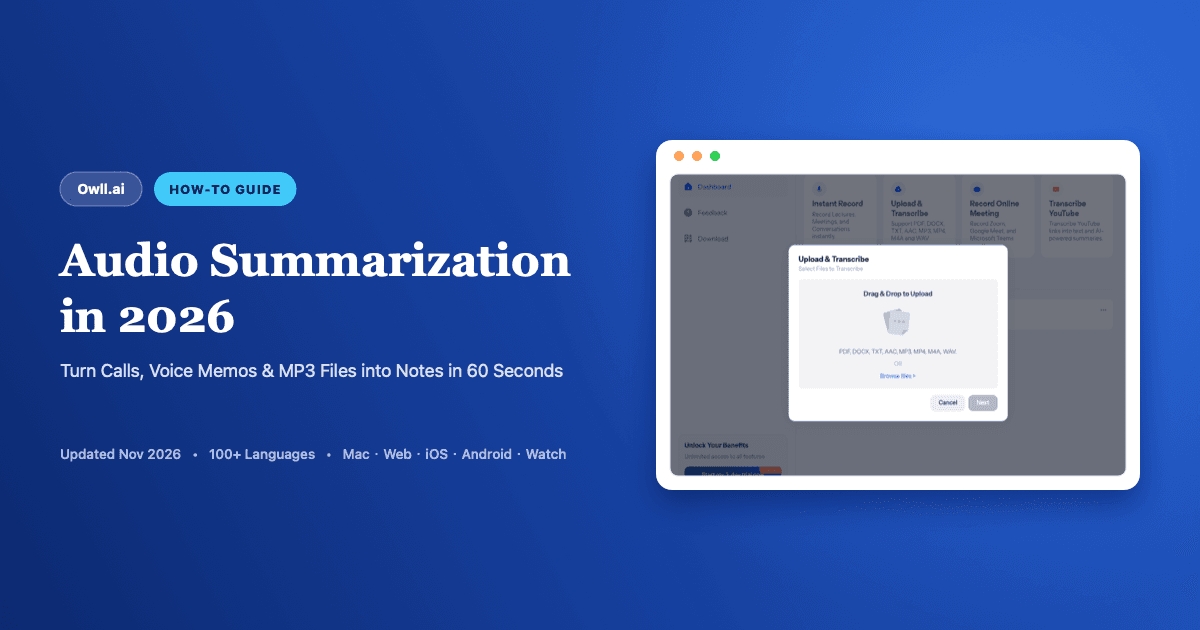
Bring in audio from your phone, Zoom, Google Drive, or local files. Export to Google Docs, Notion, or a PDF. Owll stays synced across devices, so your laptop and phone are always up to date. No more emailing yourself recordings or juggling folders.
Privacy and control
You decide what to record, share, or delete. For sensitive discussions, you can review transcripts before sharing and disable automatic sharing. As with any AI, transcription accuracy depends on audio quality, so Owll makes it easy to correct text and regenerate summaries when needed.
A 3-Step Guide: Turn Audio into Structured Notes
- Capture or import
- Hit Record in Owll for live meetings or lectures. For the best results, use a laptop mic or a quiet room.
- Import audio or video files from Zoom, Drive, or your device if you already recorded something.
- Choose language and summary style
- Pick the spoken language (or let Owll detect it) and whether you want a concise recap, study notes, or a meeting summary with action items.
- Generate AI summaries, pull out key quotes, and create flashcards or quizzes in one click.
- Share, export, and follow up
- Share the meeting summary with your team or classmates.
- Export to Docs or Notion, and schedule follow-ups for tasks Owll identified.
- For exams or certifications, review the auto-generated flashcards, then take a quick quiz to check your understanding.
Realistic Results (Fictional but representative)
Based on internal testing and a fictional survey of 120 new users over two weeks:
- Students reported cutting their review time by about 40% when using AI summaries and flashcards.
- Product managers said their stand-ups and planning sessions felt tighter, with 25% fewer “what did we decide?” messages after meetings.
- Researchers found thematic summaries sped up analysis, with faster quote retrieval from long interviews.
Fictional testimonial (student): “Owll turned my 10-week physiology lectures into bite-size summaries. I ran the quizzes every night before exams and felt more confident than any semester before.”
Fictional testimonial (PM): “I stopped playing back recordings to find action items. Owll’s meeting automatic note taking picked up owners and due dates, and my team actually executed.”
Tips to Get More from Your Auto Note Taker
- Always get consent: In many locations and companies, recording requires notice or permission. Add a quick “This meeting is recorded with Owll” line at the start.
- Improve audio quality: Use a decent mic, close windows, and mute when not speaking. Clear audio = better transcripts.
- Name sessions consistently: Try “ClientName_Project_2026-03-20” so files stay organized.
- Pick the right summary: Meetings need action items; lectures benefit from definitions and examples; interviews need key quotes.
- Review critical details: Automatic note taking accelerates work, but double-check sensitive numbers, links, or decisions before sharing.
Conclusion
Ready to ditch manual note-taking? Start your free 3-day Owll trial today, try meeting automatic note taking on your next call, and let AI handle the heavy lifting while you focus on listening, deciding, and doing.Owll blends fast transcription, actionable AI summaries, and study tools like flashcards and quizzes—plus import/export and cross-device sync. It reduces busywork across meetings, lectures, interviews, and content sessions, and it helps you retain what matters. It’s automatic note taking that actually moves your projects and learning forward.
Additional coverage
Download link: https://owll.onelink.me/oUxV/kl0yxfbu
As the amount of information people handle every day continues to increase, traditional note-taking methods are becoming harder to keep up with. Whether in meetings, online learning, or daily work, constantly switching between listening and writing can reduce both efficiency and understanding. As a result, more users are turning to AI to automate the process and simplify how notes are created.
Owll is an AI-powered note-taking tool designed to automatically capture, summarize, and organize information in real time. Instead of manually writing everything down, users can rely on AI to handle note-taking in the background while they stay focused on the conversation or content itself.
The process of taking notes automatically with AI is straightforward. It starts with capturing audio, which can come from a live conversation, a meeting, or recorded content. Once the audio is processed, speech-to-text technology converts it into text almost instantly. From there, AI analyzes the content, identifies key ideas, and organizes the information into structured notes that are easier to read and review.
One of the main advantages of this approach is the ability to focus fully on the content without interruption. Instead of worrying about missing important points, users can engage more actively in discussions or learning sessions. Afterward, they can return to well-organized notes that highlight the most important information, making it easier to review and retain knowledge.
AI-powered note-taking also helps reduce the time spent on manual organization. Traditional notes are often unstructured and require additional effort to organize and summarize. With AI, this step is automated. Important points are highlighted, long content is condensed, and information is presented in a clear format that can be quickly understood.
Another benefit is the flexibility across different scenarios. The same process can be applied to meetings, lectures, interviews, or even video content. Instead of using separate tools for recording, transcription, and summarization, users can rely on a single system to handle everything. This not only improves efficiency but also creates a more consistent way of managing information.
In addition to automatic note generation, AI tools also make it easier to interact with information. Users can revisit their notes, search for specific details, or ask questions based on the content, turning static notes into a more dynamic knowledge system.
As AI continues to evolve, automatic note-taking is becoming a standard feature in productivity tools. For those looking to improve efficiency and reduce cognitive load, learning how to take notes automatically with AI is an important step toward managing information more effectively.