On this page
The best cross-platform note-taking app keeps your notes usable when your device changes. You might capture on an iPhone, edit on a Mac, open the note in a browser, and search it on Android later. The key question is simple: do the note, attachments, edits, and search still work on the device you use next?
What to compare across devices
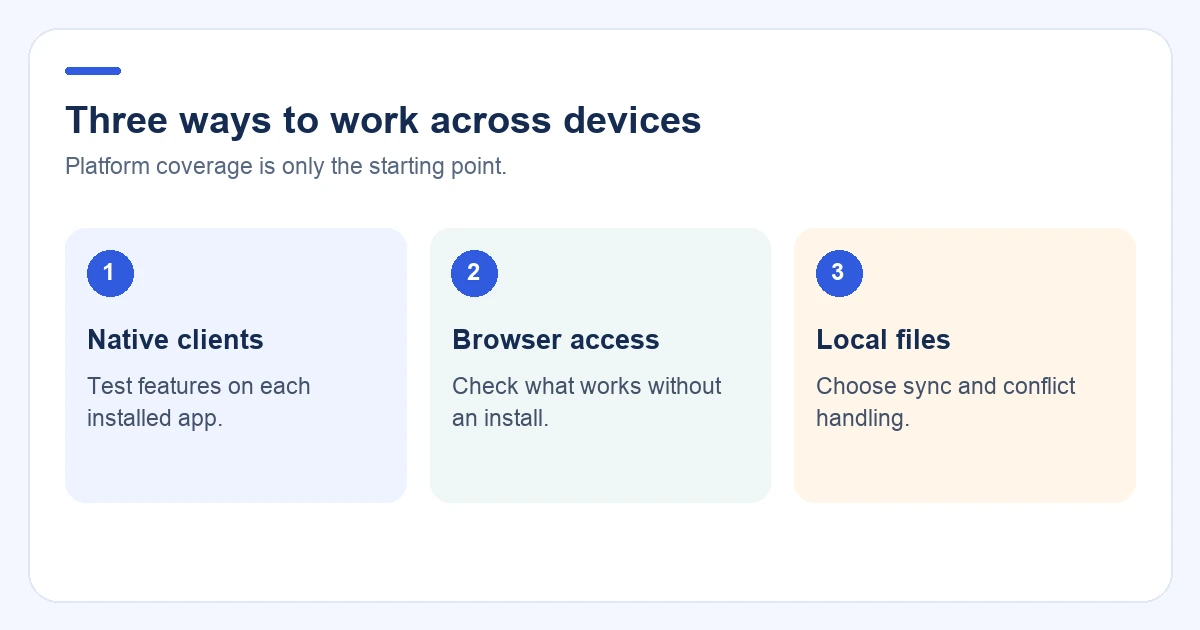
“Cross-platform” can mean a native app, a browser client, or local files that you sync yourself. Those options solve different problems. Compare them by what happens after the first download:
- Which platforms have a real client?
- Do edits and attachments sync reliably?
- Can you read or edit offline?
- What happens when two devices edit the same note?
- Does search work on desktop, mobile, and web?
- Can you export a useful archive?
- Which device is the weakest part of the workflow?
A browser counts as access, but it is not the same as a native app. Test the device you use least before moving an archive.
Quick comparison
| App | Platform model | Best for | Cross-device risk to test |
|---|---|---|---|
| Owll | Mac, iPhone/iPad, Android, Apple Watch, and web access | Spoken meetings, interviews, lectures, and voice notes | Processing status, client-specific actions, and the path from recording to a reviewed note |
| Notion | Desktop, mobile, and web workspace | Pages, databases, and shared documentation | Offline access, complex pages, attachments, and export |
| Microsoft OneNote | Desktop, mobile, and web notebooks | Handwriting, notebooks, and Microsoft 365 teams | Search, hierarchy, and feature parity outside Windows |
| Joplin | Desktop and mobile Markdown notebooks | Open-source portability and flexible sync | Sync target, conflicts, attachments, and collaboration |
| Simplenote | Desktop, mobile, and web text notes | Lightweight notes that should appear everywhere | Rich media, offline editing, and export depth |
| Standard Notes | Desktop, mobile, and web encrypted notes | Privacy-focused text notes | Plan limits and rich-content needs |
| Notesnook | Desktop, mobile, and web encrypted notes | Private notes with richer formatting | Platform parity, attachments, and migration tools |
| Obsidian | Local Markdown on desktop and mobile | Linked knowledge and file ownership | Sync configuration, conflicts, and mobile editing |
Platform availability and plan limits change. Confirm the provider’s current client list and export options before choosing a long-term home.
Owll: best for a spoken workflow across devices
Owll starts with a conversation instead of an empty document. Record a meeting, interview, lecture, or voice memo on the device that fits the moment, then review the transcript and AI summary after processing.
The value is continuity. A phone or wearable can capture while you are moving around. A Mac gives you more room to check a transcript beside a project file. The web workspace is useful for browser access, sharing, or export. Use one account, wait for processing to finish, and verify the note on a second client.
Owll can also provide translated transcripts and summaries for multilingual work. Confirm the current product and plan options for the workflow you need. See Owll’s Mac audio recorder page.
Notion: best for shared structure
Notion works well when a note needs to become a page, database, wiki, or project record. Its desktop and web model is useful for teams that share the same structure across Mac, Windows, and mobile.
Test complex pages, attachments, offline edits, and export on your weakest client. A page opening successfully is not the same as a workflow being complete.
OneNote: best for notebooks and handwriting
OneNote suits people who organize information as notebooks, sections, pages, sketches, and handwritten annotations. It is a natural fit for teams already using Microsoft 365.
Check search, attachments, handwriting, and page behavior on a non-Windows device. That is where feature differences are most likely to matter.
Joplin: best for open-source portability
Joplin is a good candidate when Markdown, open-source software, and export matter more than a polished shared workspace. The sync target is part of the decision, not a detail to postpone.
Create a note on mobile, attach a file, edit on Mac, and export it. Then test what happens when two devices edit offline.
Simplenote: best for lightweight text
Simplenote is useful for short text notes that should appear on computers, phones, and the web with little setup. Its small feature set can be an advantage when speed matters more than rich documents.
Test export, offline editing, and attachments before using it as your only archive.
Standard Notes: best for privacy-focused text
Standard Notes is worth considering when encrypted, privacy-focused text storage is the main requirement. It fits a simple note model across desktop, mobile, and web clients.
Check the plan before assuming that every editor, attachment type, or collaboration feature is included.
Notesnook: private notes with richer formatting
Notesnook can suit users who want a privacy-oriented workflow with more formatting than plain text. It is a candidate for personal notes that need to stay available on several clients.
Verify current platform coverage, attachments, search, and export before importing an archive.
Obsidian: best for local linked knowledge
Obsidian is built around local Markdown files and links between notes. It suits researchers, writers, and technical users who want an archive that remains readable outside one app.
Cross-device sync is part of the setup. Test the supported sync method, mobile editing, conflicts, attachments, and backups before relying on it for time-sensitive work.
Test the workflow before switching
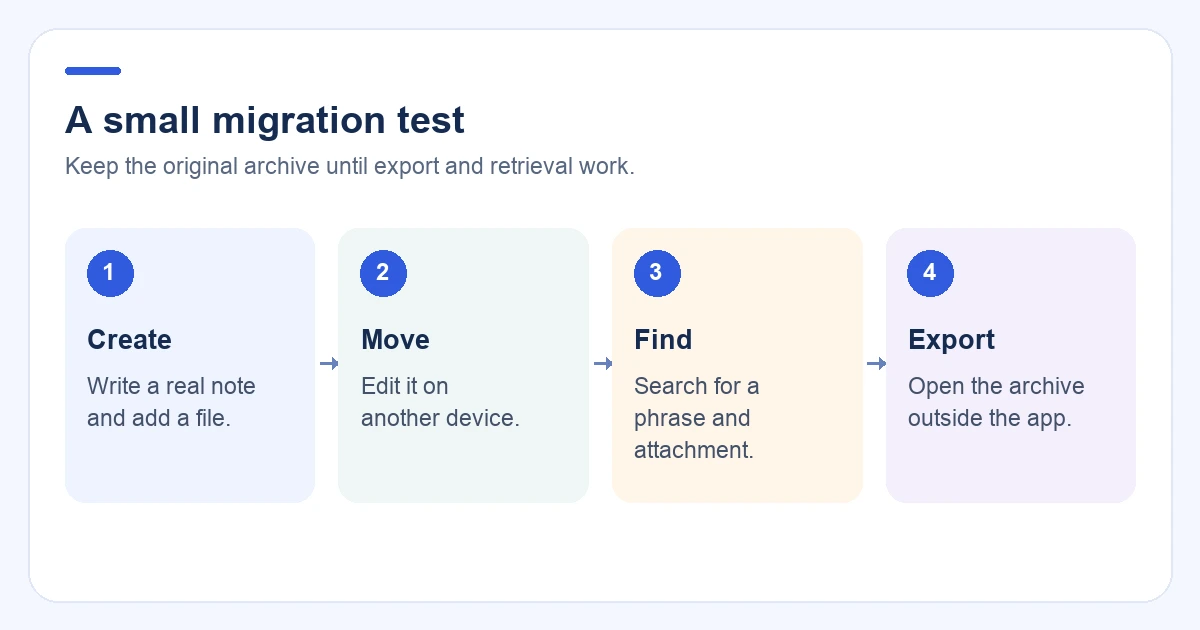
Run this test with every finalist:
- Create a note on iPhone or Android.
- Add an attachment or image.
- Edit it on Mac or Windows.
- Open it in a browser and search for a phrase.
- Make an offline edit, reconnect, and check for conflicts.
- Open the note on the device you use least.
- Export it and open the result outside the app.
For a conversation-first tool, also record a short sample and confirm that the transcript and summary appear on another client.
Native app, web app, or local files?
A native app usually offers better keyboard shortcuts, notifications, file access, and offline behavior. A web app helps on borrowed or managed computers. Local files offer control, but you manage sync and conflicts yourself.
Choose the model that fits your actual device mix. If your team moves between Mac and Windows, a polished Mac app alone is not enough. If work moves between phone and desktop, test both capture and review.
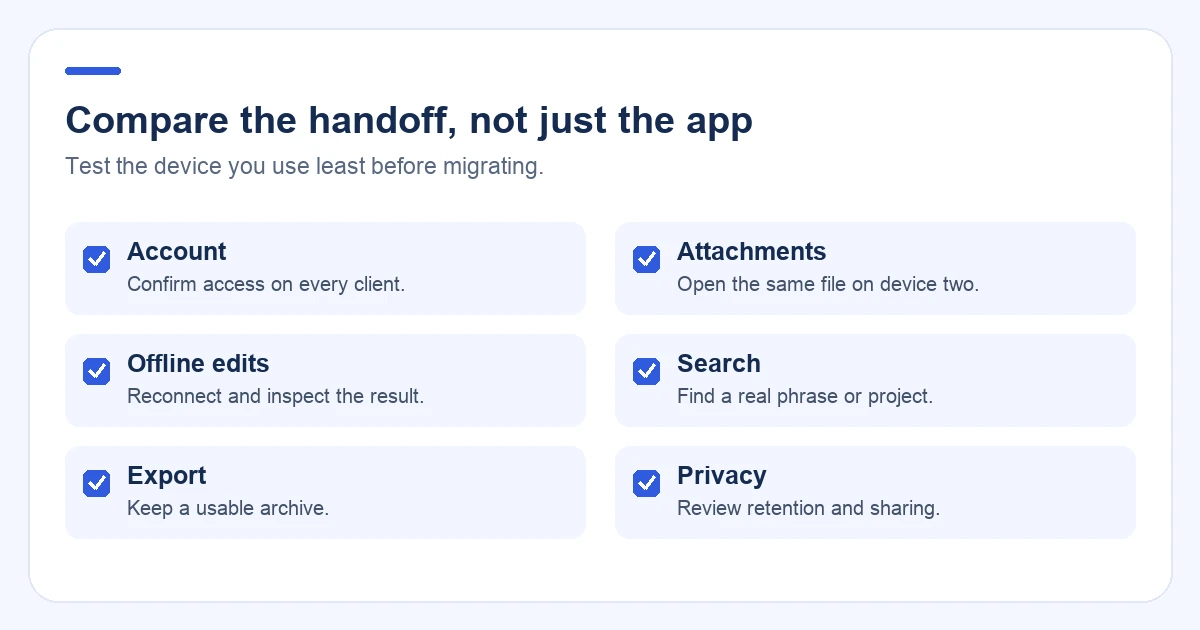
What to check before switching
- Account: Use the same account on every client.
- Sync state: Wait for edits, attachments, recordings, and processing to finish.
- Search: Find a phrase, attachment, speaker, and project name on a second client.
- Offline edits: Make a small change without a connection and see how it resolves.
- Export: Export a real sample with attachments.
- Privacy: Review retention and sharing before importing sensitive material.
- Exit path: Know how to leave with a usable archive.
FAQ
What is the best cross-platform note-taking app?
Notion and OneNote suit structured work, Joplin and Obsidian suit portable or local archives, Simplenote suits lightweight text, Standard Notes and Notesnook suit privacy-focused workflows, and Owll suits notes that begin as spoken conversations.
Which note-taking app works on Mac and Android?
Notion, OneNote, Joplin, Simplenote, Standard Notes, Notesnook, Obsidian, and Owll provide a Mac-to-Android path through native apps or web access. Confirm current client support and feature parity before choosing.
Is a browser enough to count as cross-platform?
Yes, if the browser supports the work you need. Test offline access, notifications, keyboard shortcuts, attachments, and search separately from the native app experience.
Which cross-platform note-taking app has the most reliable sync?
There is no universal winner. Compare account setup, edit and attachment sync, offline behavior, conflict handling, search, and export on the devices you actually use. A short test on your weakest client is more useful than a platform list alone.
What is the most important cross-platform test?
Test the device you use least. Search, attachments, offline edits, and export often reveal limits that are invisible on the primary device.
Final recommendation
Choose based on the weakest device and the most important handoff in your workflow. Notion and OneNote suit structured pages. Joplin and Obsidian suit portable files. Standard Notes and Notesnook suit privacy-focused notes. If information begins as meetings, interviews, lectures, or voice memos, test Owll from capture through transcript, summary, review, and sharing on every device.
For a Mac-first selection, read Best Note Taking App for Mac. For the operational sync procedure, read How to Sync Meeting Notes Across Devices.
Continue with Owll on your devices
Sources and product information
Product information: Notion, OneNote, Joplin, Simplenote, Standard Notes, Notesnook, and Obsidian. Check the current client list and plan details before migrating.